Difference Between UI Testing and API Testing
Difference Between UI Testing and API Testing
What is UI Testing?
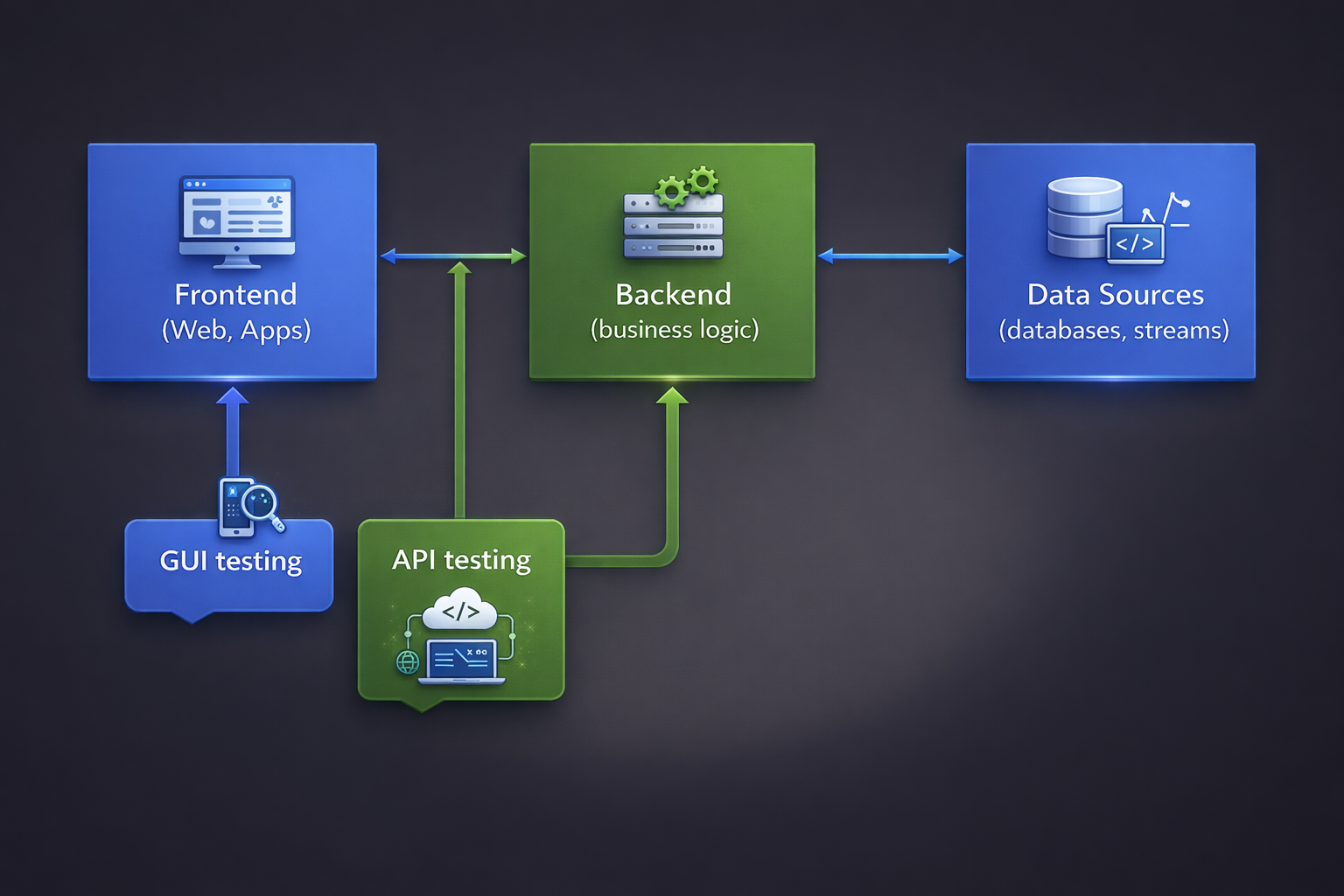
UI (User Interface) Testing is the process of validating the visual elements, layout,
and interactive behavior of an application from the end-user perspective. It ensures that buttons, forms,
menus, navigation flows, and visual components function correctly and meet design expectations.
UI testing focuses on verifying:
- User workflows and navigation
- Visual elements such as fonts, colors, alignment, and responsiveness
- Form validations and error messages
- End-to-end functionality through the interface
Common tools used for UI automation include Selenium, Cypress, Playwright, and Appium.
What is API Testing?
API (Application Programming Interface) Testing is the process of testing backend services
by validating request-response cycles, business logic, data processing, and integrations without using the UI layer.
API testing focuses on:
- Request and response validation
- Status code verification
- Authentication and authorization
- Data accuracy and schema validation
- Performance and reliability of services
Popular tools for API testing include Postman, RestAssured, Karate, and SoapUI.
UI Testing vs API Testing – Comparison Table
| Comparison Factor | UI Testing | API Testing |
|---|---|---|
| Complexity | High complexity due to DOM handling, dynamic elements, synchronization, and browser compatibility. | Moderate complexity focused on request/response validation and business logic. |
| Speed | Slower because it interacts with the full application stack including frontend rendering. | Faster since it bypasses the UI and directly communicates with backend services. |
| Stability | Less stable due to UI changes, layout updates, and locator dependency. | More stable as APIs change less frequently compared to UI. |
| Mocking | Mocking is complex and often requires service virtualization or frontend stubs. | Easy to mock using tools and frameworks that simulate API responses. |
| Testing Resources | Requires browser drivers, devices, UI environment setup, and more infrastructure. | Requires endpoint access, authentication tokens, and minimal environment setup. |
| Automation | Automation scripts are more fragile and require regular maintenance. | Automation is easier, cleaner, and more maintainable. |
| Test Data Management | Test data preparation may require UI-based setup and teardown. | Test data can be directly created, updated, or cleaned via API calls or database scripts. |
UI Testing validates the application from an end-user perspective and ensures a seamless user experience,
while API Testing validates backend logic, data integrity, and system performance.