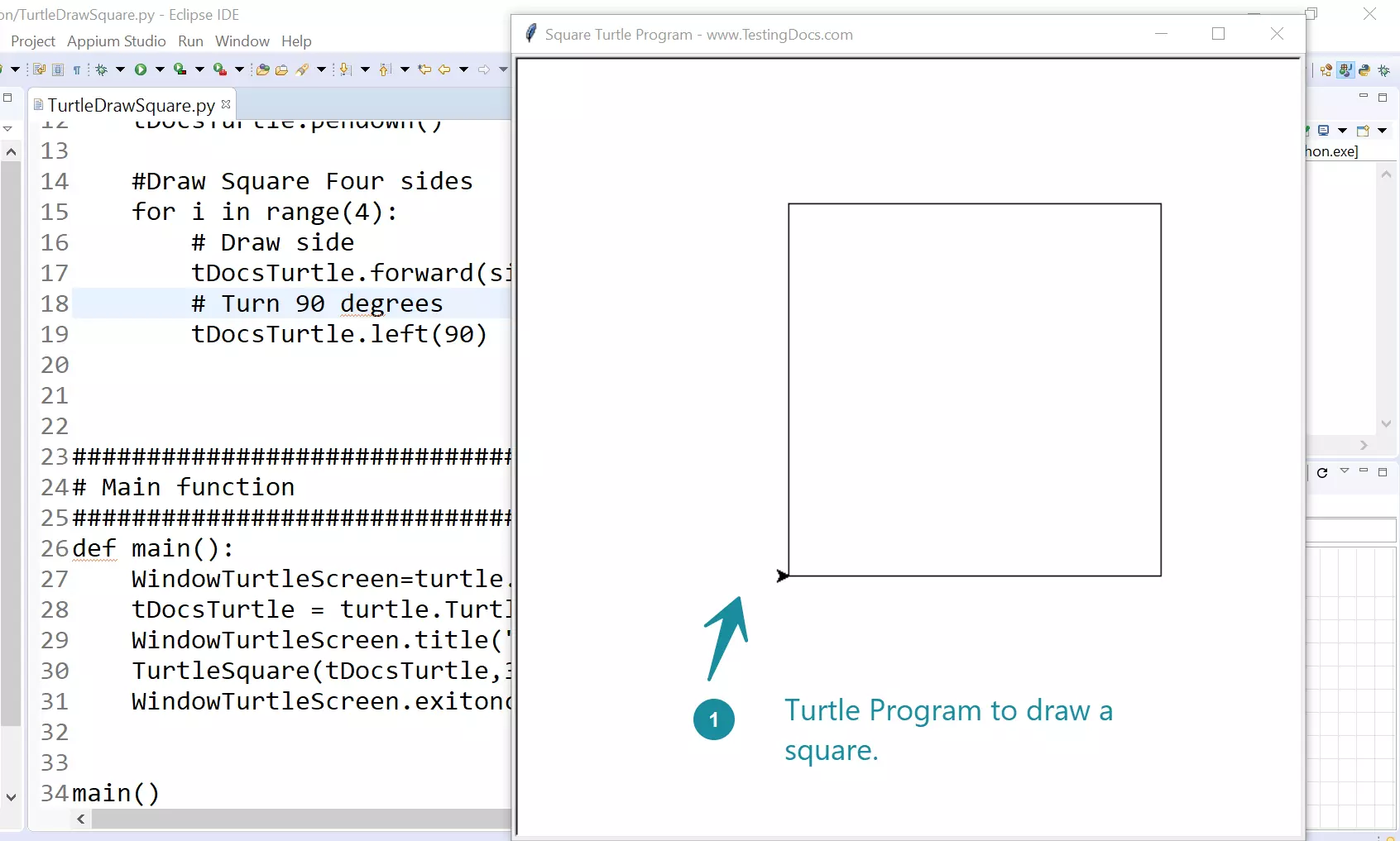
How to draw a Square using Turtle Graphics
Overview
In this post, we will draw a square using the Turtle graphics python program. We will learn to define a function to draw the square and invoke the function from the main.
Import Turtle
To import the turtle module, we can use the following statement:
import turtle
Create a turtle screen and a turtle object:
WindowTurtleScreen=turtle.Screen()

tDocsTurtle = turtle.Turtle()
Program
#Import turtle module
import turtle

#############################################
# Function to draw square                   #
# using Turtle graphics                     #
#############################################
def TurtleSquare(tDocsTurtle,sideLength):

    tDocsTurtle.penup()
    tDocsTurtle.goto(-100, -100) #just to center
    tDocsTurtle.pendown()

    #Draw Square Four sides
    for i in range(4):
        # Draw side
        tDocsTurtle.forward(sideLength)
        # Turn 90 degrees
        tDocsTurtle.left(90)


########################################
# Main function                        #
########################################
def main():
    WindowTurtleScreen=turtle.Screen()
    tDocsTurtle = turtle.Turtle()
    WindowTurtleScreen.title("Square Turtle Program - www.TestingDocs.com")
    TurtleSquare(tDocsTurtle,300)
    WindowTurtleScreen.exitonclick()


main()
Sample Output