What is UAC Prompt in Windows?
What is UAC Prompt in Windows?
The User Account Control (UAC) prompt in Windows is a security feature that helps prevent unauthorized changes to your computer. When a program attempts to make changes to your system, such as installing software or modifying system files, the UAC prompt will appear, asking for your permission to allow the action to proceed.
History
The User Account Control (UAC) prompt was introduced in the Windows Vista operating system, which was released in 2007. This feature was designed to enhance the security of the Windows operating system by prompting users for permission when a program tries to make changes to the system.
Elevation Prompt
When the UAC prompt appears, you will be asked to confirm whether you want to allow the program to make the requested changes. If you are unsure about the program or its intentions, you can choose to deny the request, preventing any unauthorized modifications from taking place.
When a program or a user attempts to perform an action that requires administrative privileges, such as installing new software or changing system settings, the UAC prompt will appear, asking the user to confirm the action by entering their password or clicking “Yes”.
By requiring users to explicitly grant permission for certain actions, the UAC prompt helps prevent unauthorized changes to the system and is an essential tool in protecting against security threats.
Example
User Account Elevation prompt while installing Git version control tool on Windows. To proceed with the installation the user should click on the Yes button in the dialog.
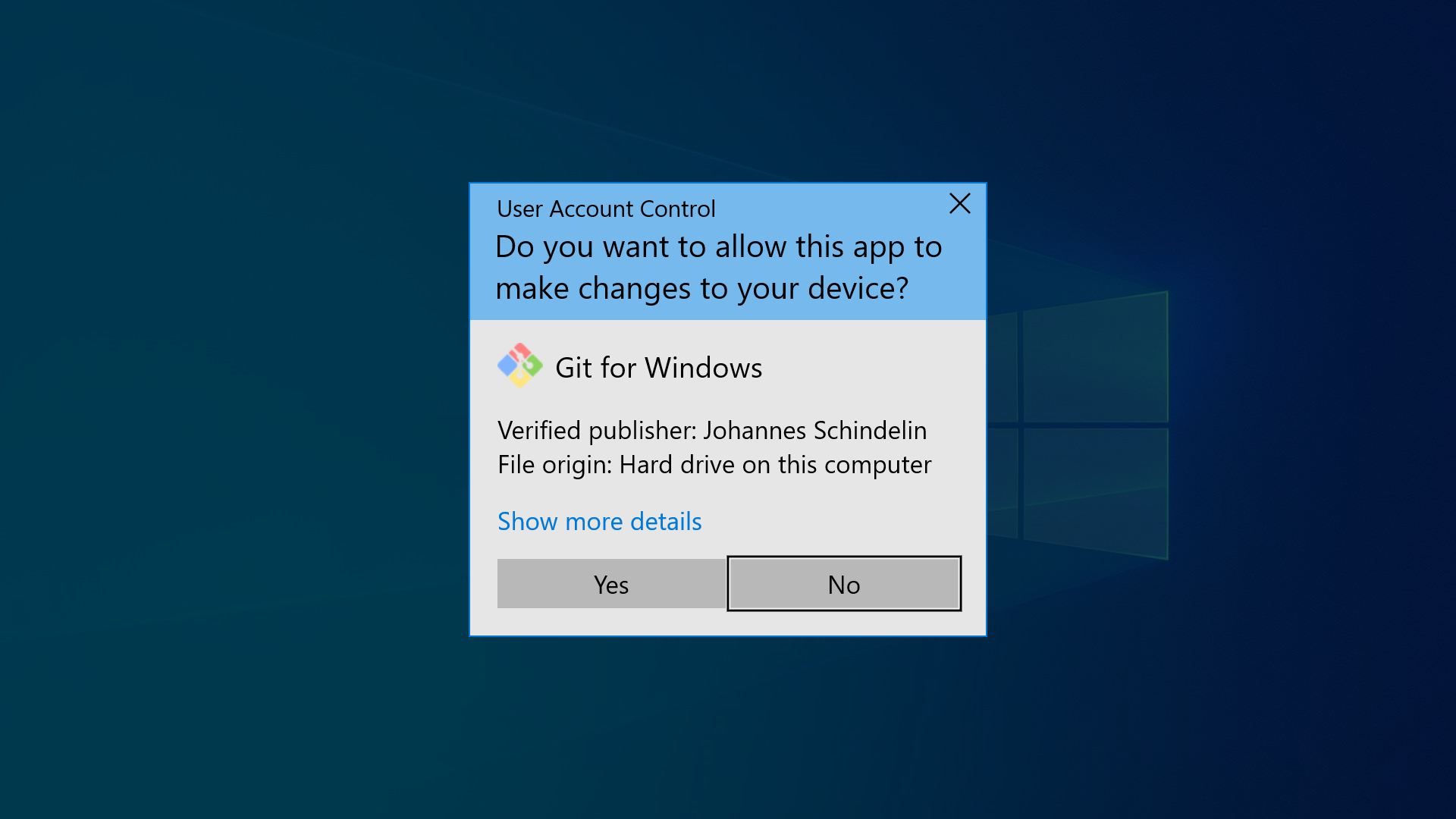
The UAC prompt is designed to protect your computer from malware and other potentially harmful programs by requiring administrative approval before any system changes can be made. This helps to ensure that only trusted and authorized applications can modify your system settings.
It’s important to pay attention to UAC prompts and only allow changes from programs and processes that you trust. Ignoring or bypassing the UAC prompt can leave your system vulnerable to security threats and potential damage.
Linux’s Equivalent Feature: sudo
Linux utilizes a command-line tool called “sudo” to provide a functional equivalent to the Windows UAC prompt. “sudo” is short for “superuser do” and allows authorized users to temporarily elevate their privileges to perform administrative tasks or run programs with root permissions.
The UAC prompt in Windows is a key security feature designed to protect your computer from unauthorized changes and potential security threats. By requiring administrative approval for system modifications, the UAC prompt helps to ensure the safety and integrity of your system.