Introduction to Slack
Introduction to Slack
Slack is a cloud-based collaboration and communication platform designed to help teams
work together more effectively. It brings conversations, files, tools, and apps into one place so that communication is organized, searchable, and easily accessible. Whether you’re part of a small team or a large organization, Slack makes it easier to communicate in real time and stay aligned on goals and tasks.
Core Features of Slack
The main core features of Slack are:
- Collaboration
- Project Management
- Intelligence
Slack Channels
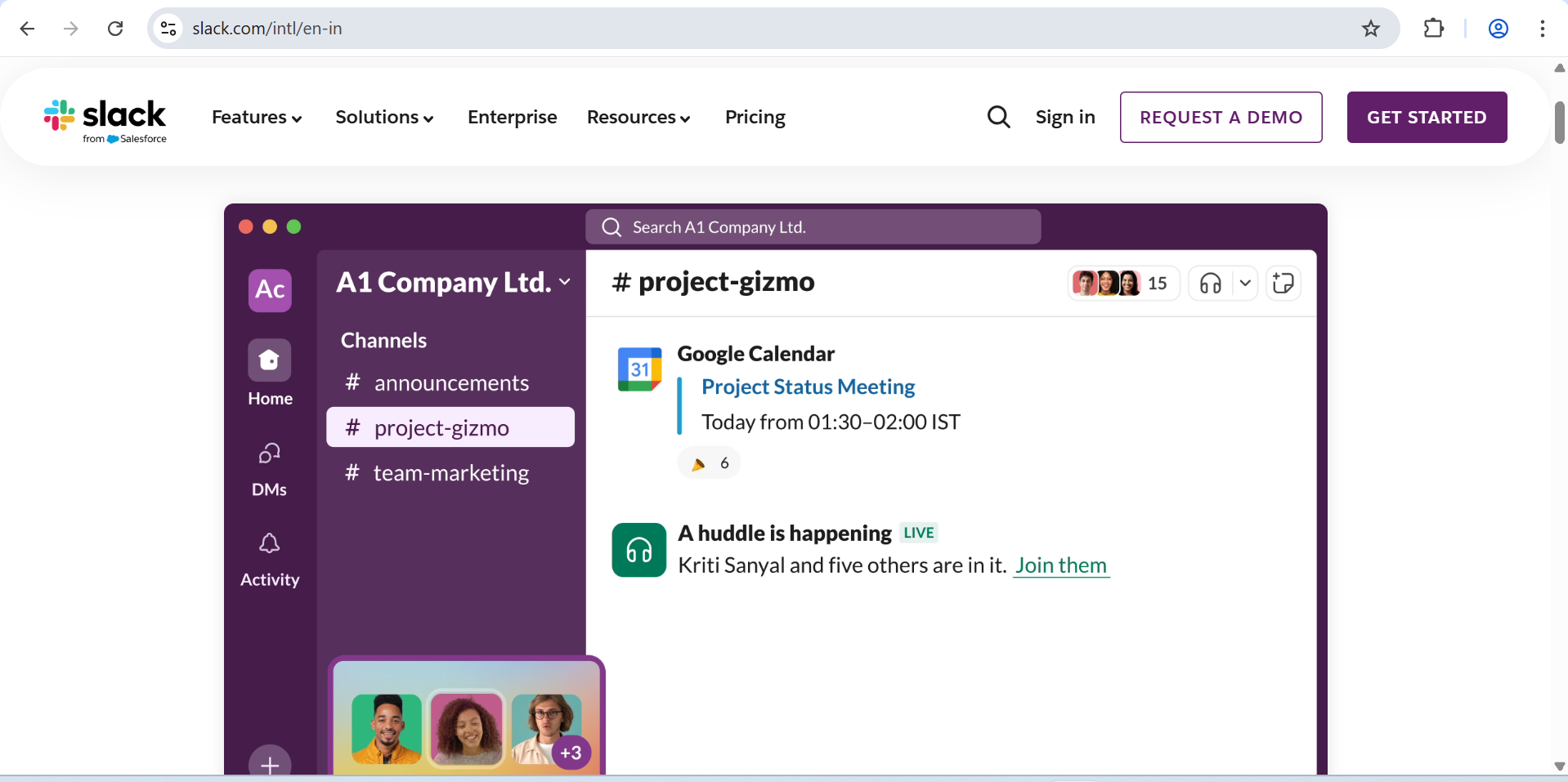
Channels are dedicated spaces within Slack where team members can communicate about
specific topics, projects, or departments. Channels can be:
- Public – Visible and open to the entire workspace
- Private – Restricted to invited members only
Direct Messages (DMs)
Direct Messages allow you to have one-to-one or small group conversations outside
of channels. DMs are useful for quick, private discussions.
File Sharing
You can upload, share, and preview files directly within Slack. Documents, images,
videos, and other file types can be quickly shared with your team or in channels.
Search and Archiving
Slack keeps a record of all conversations and files, which can be searched using
keywords, filters, and advanced search modifiers. This helps you find past messages
and shared content easily.
Integrations and Apps
Slack integrates with many third-party tools like Google Drive, Zoom, Trello,
GitHub, and more. These integrations allow you to bring important alerts and actions
into your workspace without switching between multiple apps.
Notifications and Preferences
Slack lets you customize notifications by channel, workspace, or keyword to help you
stay focused and avoid unnecessary interruptions.
Threads
Threads let you reply to specific messages in a channel to keep conversations
organized and avoid cluttering the main channel feed.
Official Website
- https://slack.com
