Write Step Class for a JBehave Story
Write Step Class for a JBehave Story
In this post, we will write the Step class for the Calculator JBehave story.( Writing Simple JBehave Story . The easiest way to create the step class with a dummy skeleton is from the story itself.
Generate Steps
Right-click on the story in Project Explorer in Eclipse IDE. Go to JBehave > Generate Steps as shown in the below picture.
Complete path
Project Explorer >> JBehave Story >> Right click >> JBehave >> Generate Steps.
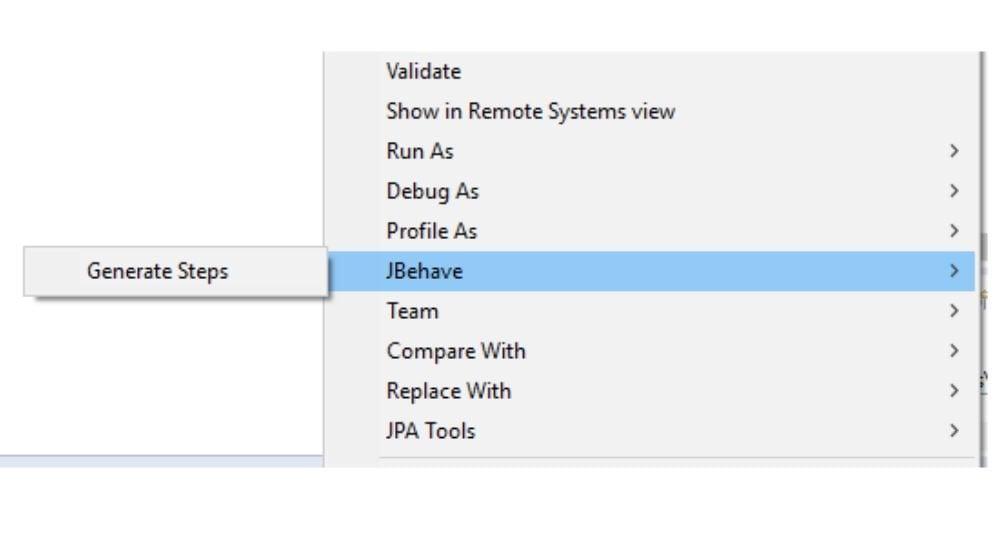
Write Step class for a story
package com.testingdocs.jbehave;

import org.jbehave.core.annotations.*;
import junit.framework.Assert;

public class AddSteps{

    int i,  j , result ;

@BeforeScenario
public void allClear()
{
 i =0 ;
 j =0 ;
 result = 0 ;
}


@Given("numbers i and j")
public void givenNumbersToAdd()
{
 i= 5;
 j = 10;

}


@When("we add them")
public void whenWeAdd()
{
 result = i + j ;
}

@Then("verify the sum")
public void thenVerifyTheSum()
{
 Assert.assertEquals("Sample Assert", 15, result);
}


@When("we subtract i from j")
public void whenWeSubtract()
{
result = j - i ;
}

@Then("verify the difference")
public void thenVerifyTheDifference()
{
Assert.assertEquals("Sample Assert", 5, result);
}

}
We can check the linking of the corresponding method, by clicking on the story gherkin line. You will be landed on the method provided if there is a valid method that matches. While writing stories, if some are common across the stories/scenarios we can move them to say CommonSteps for better maintainability and readability of code.
JBehave Tutorials on this website can be found at:


