Run TestNG programmatically (without testng.xml)
Run TestNG programmatically (without testng.xml)
We can run TestNG programmatically (without testng.xml) by using the org.testng.TestNG class in Java. This is useful when you want to dynamically control which tests run.
package com.testingdocs.testng.tutorials;

import java.util.ArrayList;
import java.util.List;
import org.testng.TestNG;
import org.testng.xml.XmlClass;
import org.testng.xml.XmlSuite;
import org.testng.xml.XmlTest;

public class TestNGRunner {
	public static void main(String[] args) {

		// Create an instance of XML Suite and assign a name
		XmlSuite suite = new XmlSuite();
		suite.setName("Sample Suite");

		// Create an instance of XmlTest and assign a name
		XmlTest test = new XmlTest(suite);
		test.setName("Sample Test");

		// Create a list of classes to run
		List<XmlClass> classes = new ArrayList<>();
		classes.add(new XmlClass("com.testingdocs.testng.tutorials.TestNGExample"));
		classes.add(new XmlClass("com.testingdocs.testng.tutorials.TestNGMethodDependency"));

		// Assign the classes to the XmlTest object
		test.setXmlClasses(classes);

		// Add the XmlTest to a list of tests, then add to the suite
		List<XmlTest> tests = new ArrayList<>();
		tests.add(test);
		suite.setTests(tests);

		// Add the suite to a list of suites
		List<XmlSuite> suites = new ArrayList<>();
		suites.add(suite);

		// Create a TestNG object and set the list of suites
		TestNG testng = new TestNG();
		testng.setXmlSuites(suites);

		// Run the tests
		testng.run();
	}
}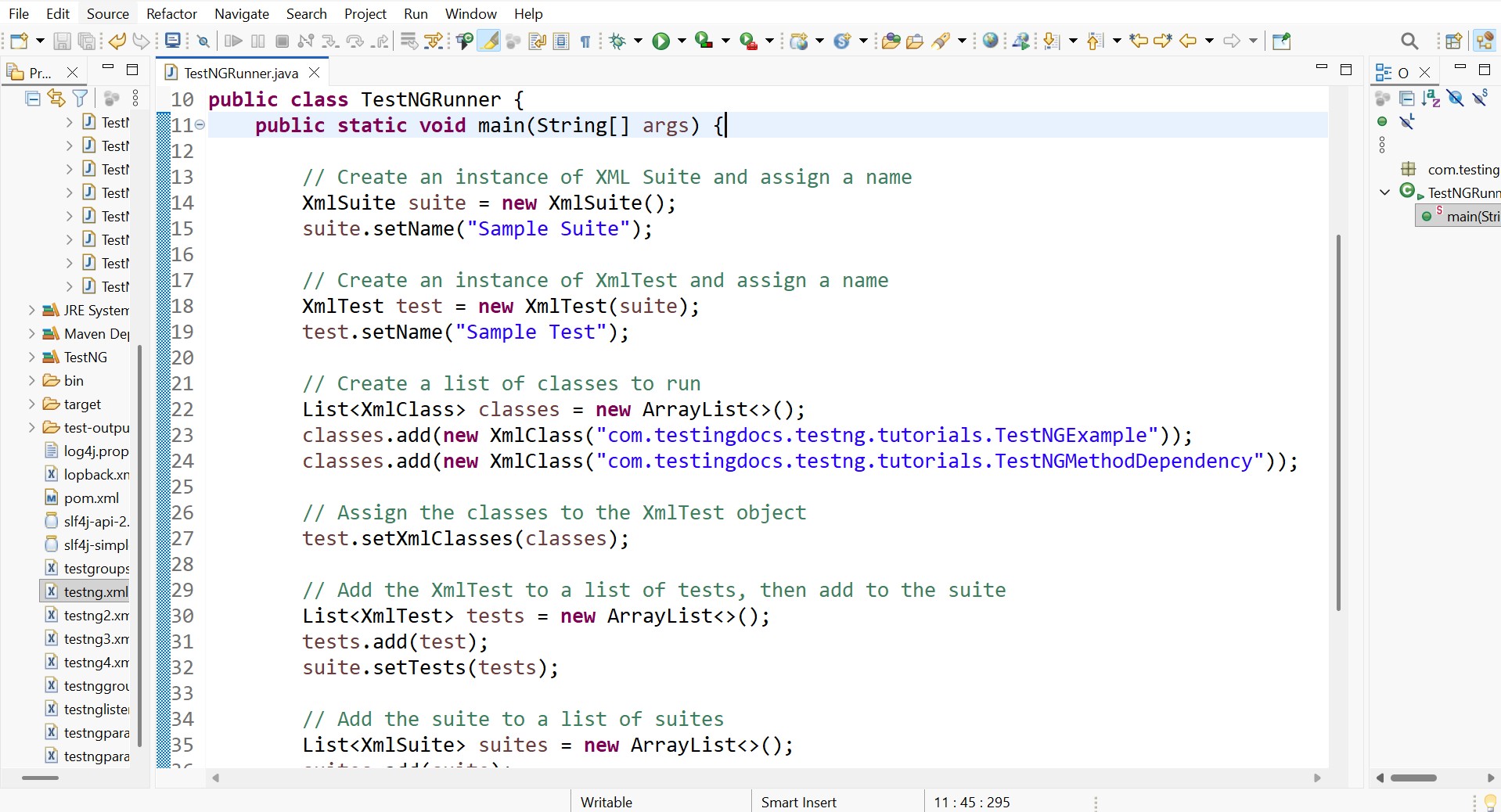
This Java program runs TestNG tests programmatically instead of using a testng.xml file. Normally TestNG tests are executed through an XML configuration file, but this code creates the same configuration dynamically in Java code.
Create a TestNG Suite
suite.setName(“Sample Suite”);
Here we create a TestNG suite object.
Equivalent to XML:
</suite>
Create a Test inside the Suite
test.setName(“Sample Test”);
This creates a test inside the suite.
Equivalent XML:
<test name=“Sample Test”>
</test>
</suite>
Define Test Classes
classes.add(new XmlClass(“com.testingdocs.testng.tutorials.TestNGExample”));
classes.add(new XmlClass(“com.testingdocs.testng.tutorials.TestNGMethodDependency”));
Here we specify which test classes should run.
These are the test classes:
-
TestNGExample -
TestNGMethodDependency
Equivalent XML:
<class name=“com.testingdocs.testng.tutorials.TestNGExample”/>
<class name=“com.testingdocs.testng.tutorials.TestNGMethodDependency”/>
</classes>
Attach Classes to Test
This assigns the list of test classes to the test.
Equivalent XML:
<classes>
<class name=“TestNGExample”/>
<class name=“TestNGMethodDependency”/>
</classes>
</test>
Add Test to Suite
tests.add(test);
suite.setTests(tests);
A suite can contain multiple tests, so we store them in a list.
Equivalent XML:
<test name=“Sample Test”>
</test>
</suite>
Add Suite to Suite List
suites.add(suite);
TestNG allows running multiple suites, so we add the suite to a list.
Create TestNG Runner
testng.setXmlSuites(suites);
Here we:
-
Create a TestNG runner object
-
Provide the suite configuration
Run the Tests
This command starts the TestNG execution.
It will execute:
TestNGMethodDependency
Common use cases
- Custom test runners
- Running tests from tools or frameworks
- Building dynamic test suites
- Running tests from CLI tools
- Integrating with CI/CD pipelines

