
Dolphin File Manager
Dolphin File Manager is a software application developed by the KDE community. It is the default file manager application for Plasma Desktop created by the KDE project.

Dolphin File Manager is a software application developed by the KDE community. It is the default file manager application for Plasma Desktop created by the KDE project.
Advanced Java Concepts Java is a powerful, versatile programming language widely used for enterprise applications, web development, and mobile applications. Advanced Java concepts extend the core Java features, enabling developers to build scalable, efficient, and secure applications. These concepts include multi-threading, networking, reflection, etc. Advanced Java also mean specialized features of Java that are used […]
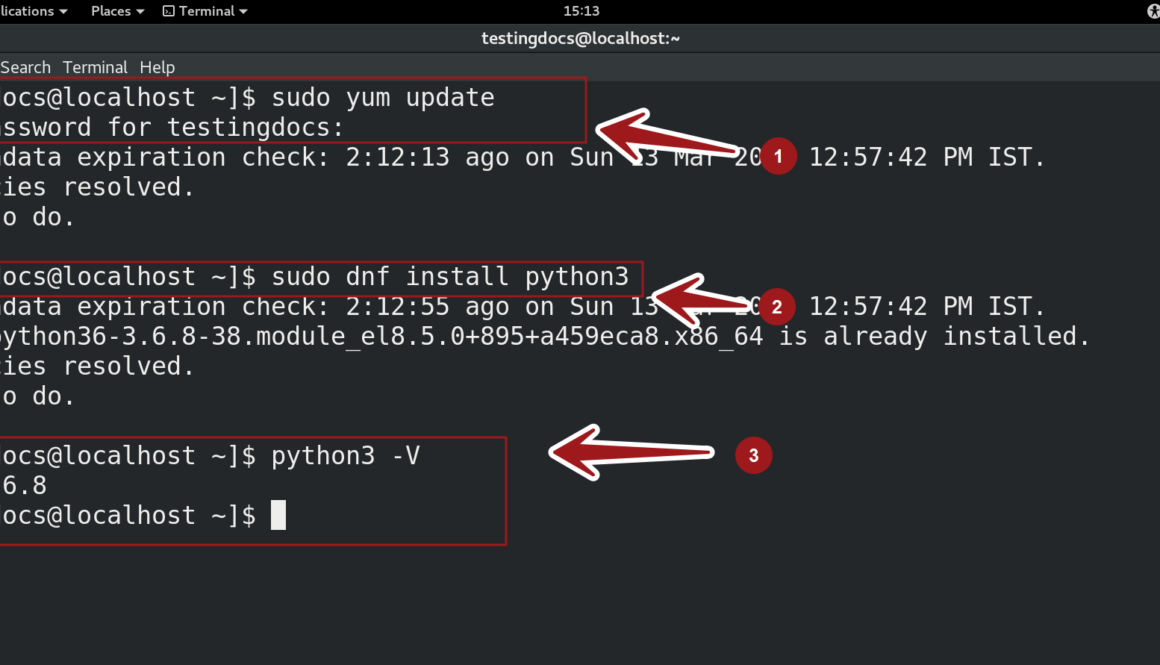
This tutorial will show you how to install Python on CentOS Linux using a few Terminal commands. Before proceeding, check if the python3 package is installed on the machine.
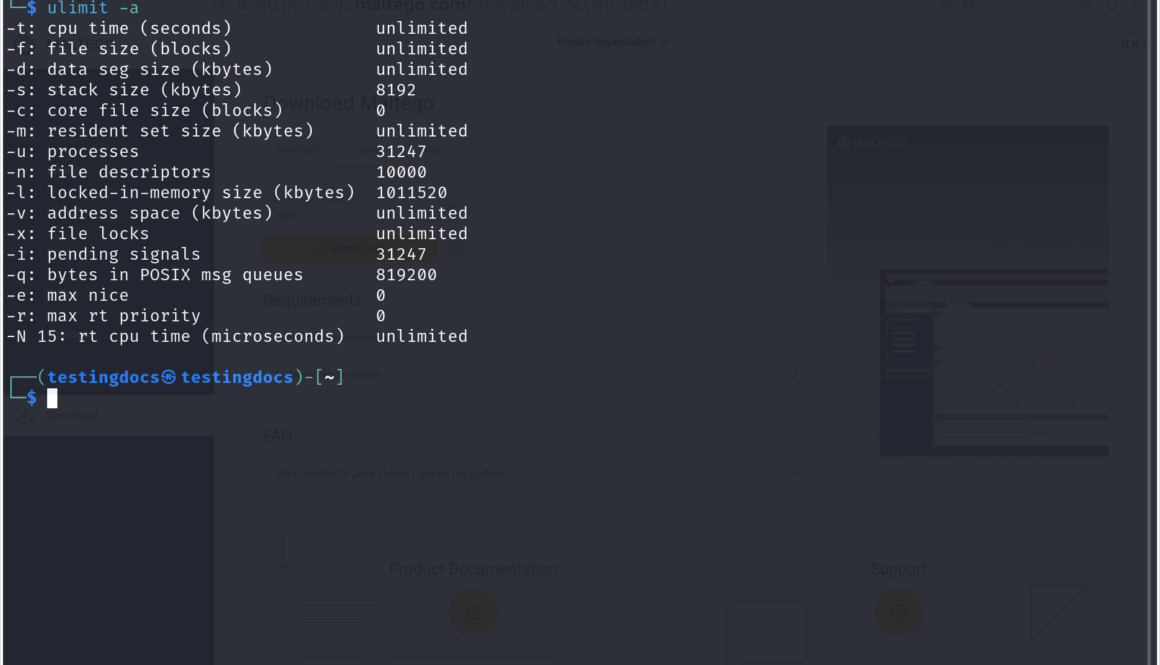
Linux ulimit Command The ulimit command in Linux is used to set or display user process resource limits. It helps control the maximum usage of system resources per user. ulimit Command Flags Flag Description -n Shows or sets the maximum number of open file descriptors. -u Displays or sets the maximum number of user processes. […]

Google Analytics Google Analytics is a powerful web analytics tool offered by Google that helps website owners track and analyze their website traffic. It provides valuable insights into user behavior, allowing businesses to make data-driven decisions to improve their online presence. By integrating Google Analytics into a website, users can monitor visitor interactions, traffic sources, […]

Windows nslookup Command The nslookup command in Windows is used for querying the Domain Name System (DNS) to obtain domain name or IP address mapping information. nslookup Syntax The general syntax of the command are as follows: /> nslookup [hostname] [DNS_server] nslookup Command-Line Flags Flag Description /? Displays help information. -d2 Enables extensive debugging output. […]