Linux arp Command with Examples
Linux arp Command with Examples
In computer networking, devices on an IPv4 network communicate using IP addresses, but Ethernet communication requires a MAC address. The arp command in Linux was traditionally used to view and modify the ARP (Address Resolution Protocol) cache, which maps IPv4 addresses to hardware (MAC) addresses. Although arp is still found on some systems, modern Linux distributions generally recommend ip neigh as its replacement.
What Is ARP?
ARP helps a computer discover the MAC address associated with a known IPv4 address on the local network. For example, if your computer wants to send data to 192.168.1.10, it can use ARP to determine the corresponding MAC address. The discovered mapping is stored temporarily in the ARP cache.
Basic arp Command
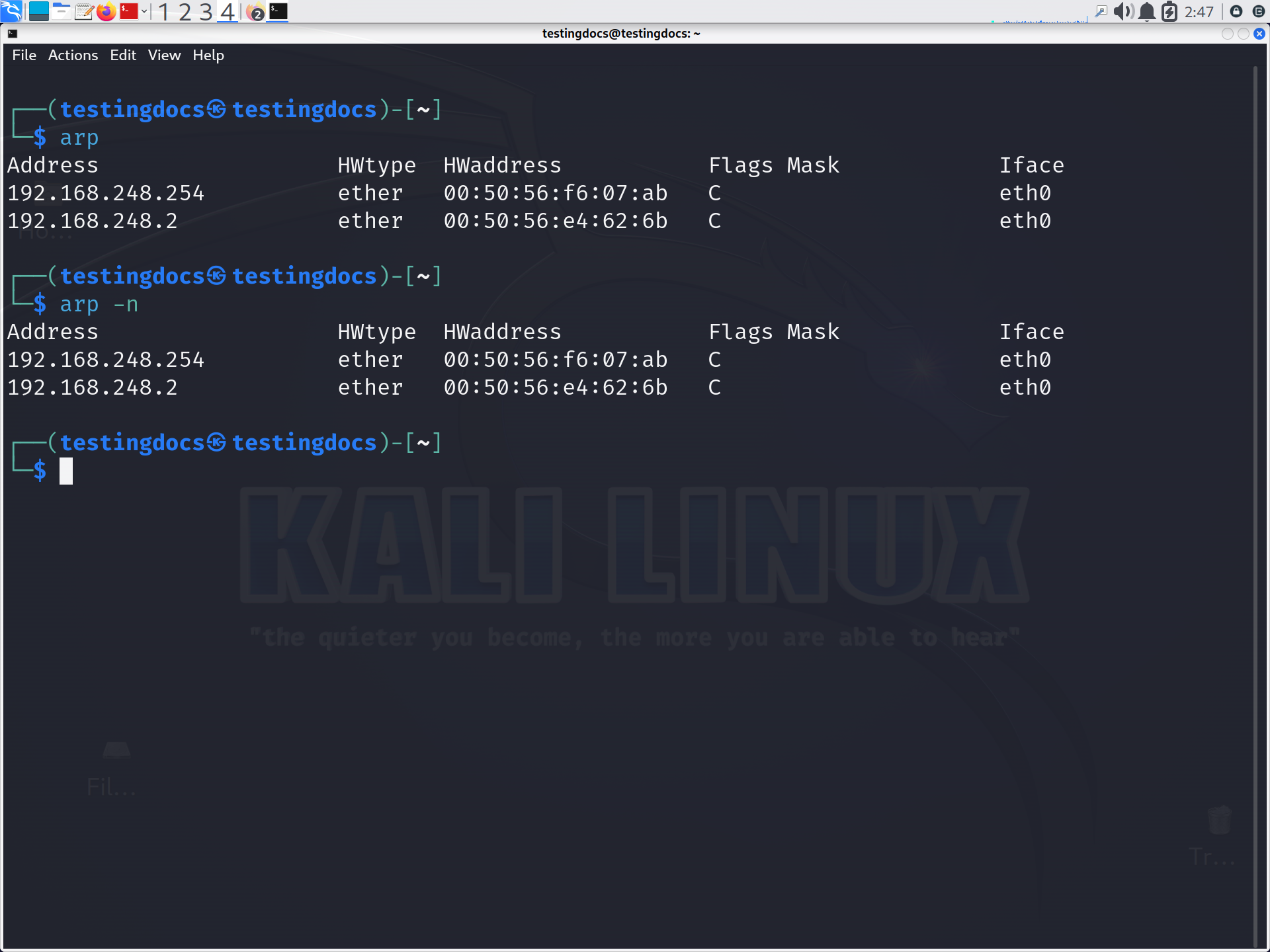
Running the following command displays the current ARP table:
$ arpA typical entry may look like:
Address          HWtype  HWaddress           Flags Mask     Iface
192.168.1.1      ether   00:11:22:33:44:55   C             eth0
Here, 192.168.1.1 is the IPv4 address, while 00:11:22:33:44:55 is the associated MAC address.
Display the ARP Cache Numerically
The -n option prevents hostname resolution and displays addresses in numeric form:
$ arp -nThis can make output faster and easier to interpret while troubleshooting networking problems.
Display ARP Information for an Interface
You can examine entries associated with a particular network interface using:
$ arp -i eth0Replace eth0 with the appropriate interface name, such as ens33 or wlan0.
Add a Static ARP Entry
The -s option can be used to add a static mapping:
$ sudo arp -s 192.168.1.20 00:aa:bb:cc:dd:eeThis associates the specified IPv4 address with the given MAC address. Static entries should be used carefully because incorrect mappings can disrupt communication.
Delete an ARP Entry
To remove an entry from the ARP cache, use:
$ sudo arp -d 192.168.1.20This can be useful when troubleshooting stale or incorrect address mappings.
Modern Alternative: ip neigh
The arp utility belongs to the older net-tools package and is considered obsolete on many modern Linux systems. The recommended replacement is:
$ ip neighFor example:
$ ip neigh showUnderstanding ARP is important for university students because it connects the concepts of IP addressing, MAC addressing, local network communication, and packet delivery. Learning both arp and ip neigh also helps when working with legacy systems and modern Linux environments.