Linux ss Command with Examples
Linux ss Command with Examples
The ss command in Linux is a powerful command-line utility used to display information about network sockets. The name ss stands for Socket Statistics. It is commonly used by system administrators, network engineers, and security professionals to examine active network connections, listening ports, TCP/UDP sockets, and connection statistics.
The ss command is generally faster and more modern than the older netstat utility. It can provide detailed information about network connections without requiring additional software on most modern Linux distributions.
For example, running the following command displays basic socket information:
$ ssThe output can contain information such as the socket state, receive and send queues, local address, local port, remote address, and remote port.
Display Listening Ports
To display TCP and UDP ports that are currently listening for connections, use:
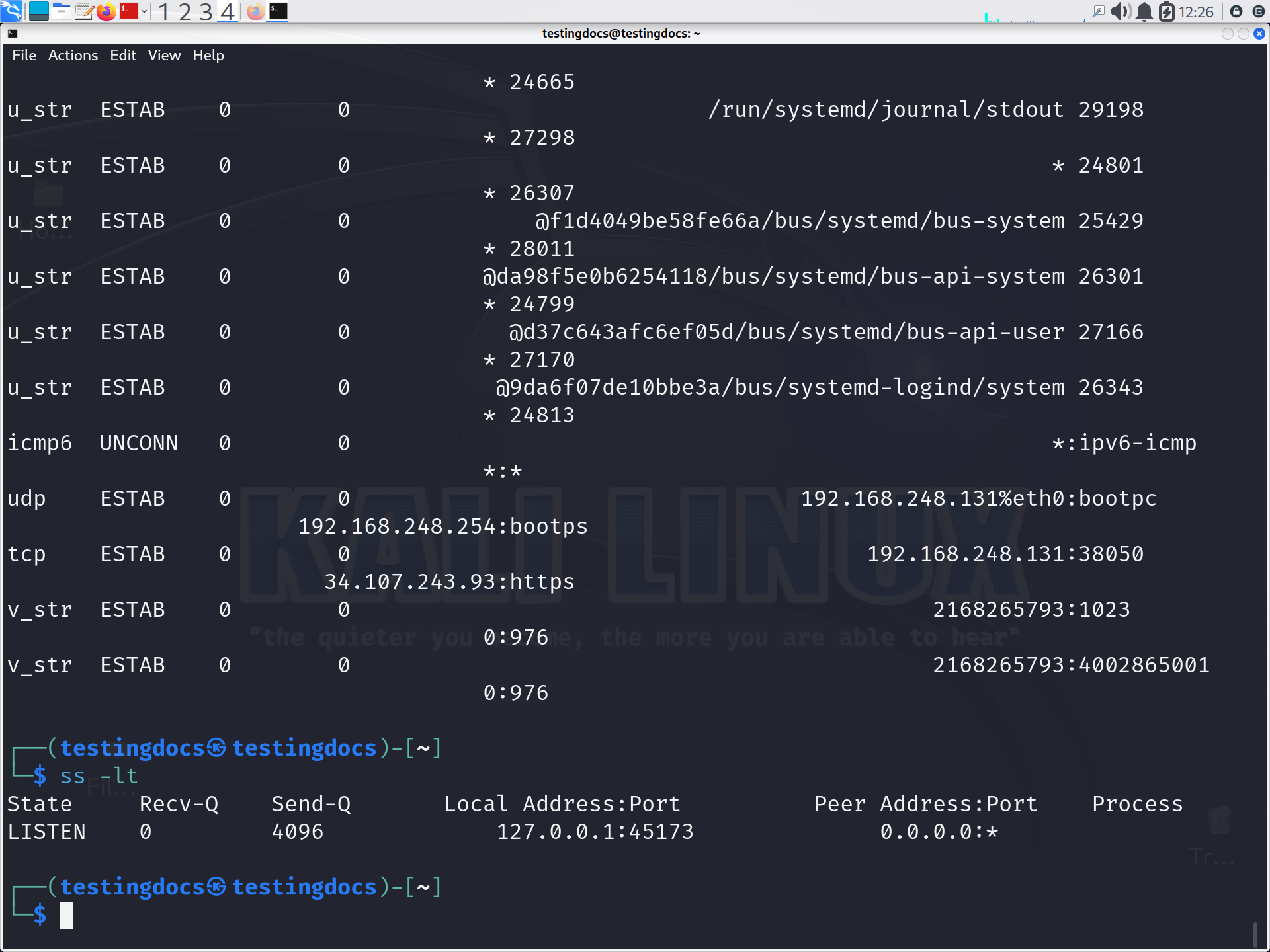
$ ss -lFor TCP listening sockets, use:
$ ss -ltFor UDP listening sockets:
$ ss -lu
Display All TCP Connections
The -t option selects TCP sockets, while -a displays all sockets.
$ ss -atThis is useful when you want to examine both listening and established TCP connections.
Show Process Information
The -p option displays the process associated with a socket. Root privileges may be required to see all process information.
$ sudo ss -tulpnThis is a very useful command for finding which application is listening on a particular port.
Find a Specific Port
You can filter sockets by port. For example, to find a service using TCP port 8080:
$ ss -ltnp | grep :8080This can help students troubleshoot web servers, development applications, and other network services.
Display Established Connections
To show currently established TCP connections:
$ ss -tan state establishedThis is helpful when analyzing active client-server communication.
Display Listening TCP and UDP Services
A commonly used combination is:
$ ss -tuln-t– TCP sockets-u– UDP sockets-l– Listening sockets-n– Show numerical addresses and ports
The Linux ss command is an essential networking tool for understanding socket activity and troubleshooting connectivity problems. University students learning Linux networking should practice commands such as ss -l, ss -tulpn, and ss -tan state established. By learning how to filter and interpret its output, you can quickly identify listening services, active connections, and network-related problems.