Add Milestone in TestRail
Add Milestone in TestRail
In TestRail, a Milestone represents a major testing goal or checkpoint in a project timeline.
It is commonly used to track testing progress for important releases such as a product version, sprint, or release cycle.
For example, if your team is releasing Version 2.0 of an application, you can create a milestone called
“Release 2.0 Testing”. All related test runs and plans can then be linked to this milestone so that the
team can easily monitor testing progress for that release.
Why Use Milestones in TestRail?
- Track testing progress for specific releases or project phases.
- Group related test runs and test plans together.
- Provide better visibility of project testing status.
- Help teams organize testing for sprints, versions, or deadlines.
Example of a Milestone
| Milestone Name | Description | Due Date |
|---|---|---|
| Release 1.0 Testing | Testing activities for Version 1.0 launch | 30 April 2024 |
| Sprint 5 QA | Test cycle for Sprint 5 features | 15 May 2024 |
Step-by-Step to Add a Milestone
-
- Log in to TestRail
Open your TestRail account using your browser and sign in with your credentials.
- Log in to TestRail
-
- Open the Desired Project
From the Dashboard, select the project where you want to create the milestone.
- Open the Desired Project
-
- Navigate to the Milestones Section
Click on the “Milestones” tab from the top navigation menu within the project.
- Navigate to the Milestones Section
-
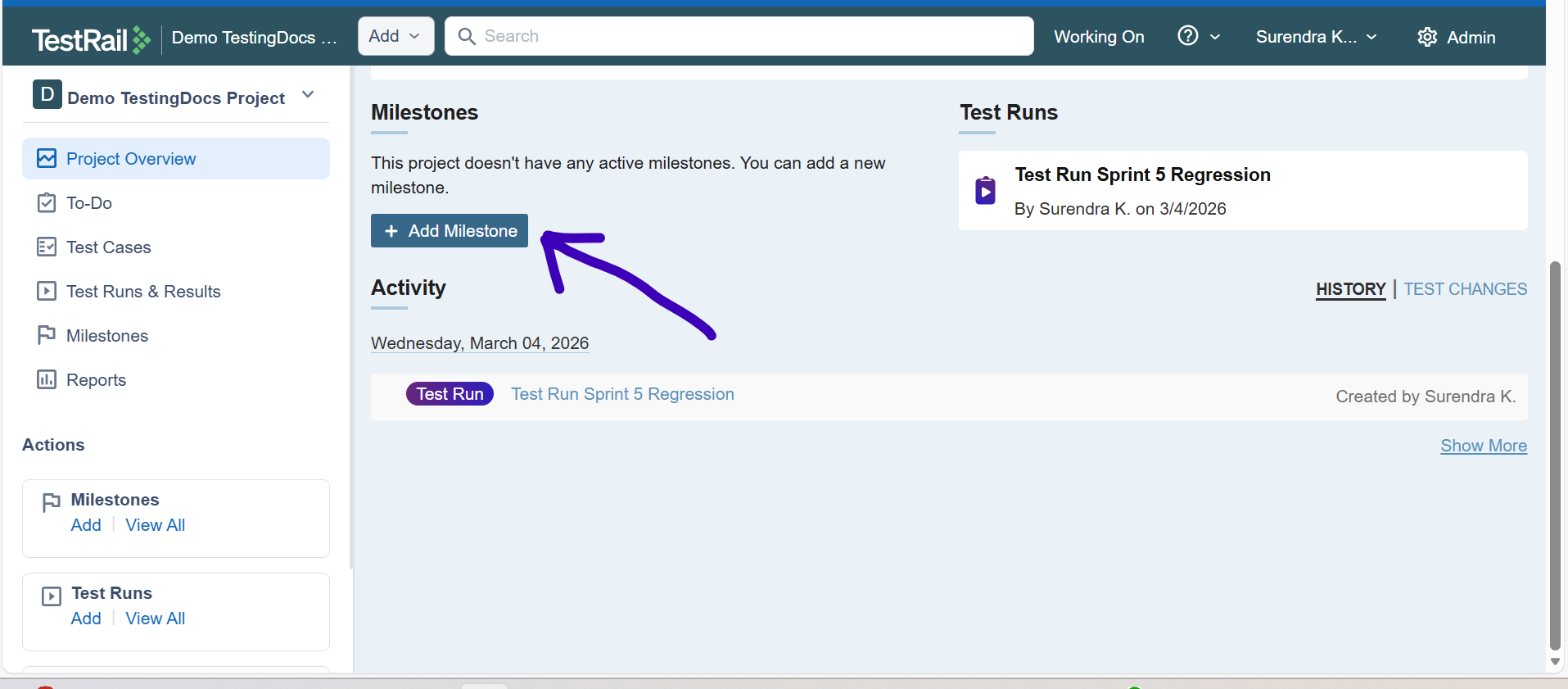
- Click “Add Milestone”
On the Milestones page, click the “Add Milestone” button.
- Click “Add Milestone”
-
- Enter Milestone Details
Fill in the required information:- Name: Name of the milestone (e.g., Release 2.0 Testing)
- Description: Optional details about the milestone
- Due Date: Expected completion date for the milestone
- Enter Milestone Details

- Save the Milestone
Click the “Add Milestone” button at the bottom of the page to save it.
Once the milestone is created:
- You can assign Test Plans and Test Runs to it.
- You can monitor testing progress for that milestone.
- TestRail provides reports showing how much testing is completed for that milestone.
Best Practices
- Create milestones for each major product release.
- Use clear and descriptive milestone names.
- Set realistic due dates to track progress accurately.
- Regularly review milestone progress during testing cycles.
A Milestone in TestRail helps teams organize testing activities around important goals such as releases,
sprints, or project phases. By grouping related test runs under milestones, teams can easily track testing progress and ensure that quality goals are met before a release.