TestRail Create Test Run
TestRail Create Test Run
In TestRail, managing and executing test cases efficiently is essential for tracking the quality of your software. One important feature that helps testers organize their testing activities is the Test Run.
What is a Test Run?
A Test Run in TestRail is a collection of test cases that testers execute during a testing cycle. It allows teams to track the execution status of selected test cases such as Passed, Failed, Blocked, or Retest.
Test Runs are typically created for:
- New software releases
- Regression testing cycles
- Sprint testing
- Feature validation
When a Test Run is created, TestRail generates a list of tests based on the selected test cases. Testers then execute those tests and record the results.
Example
| Release Version | Test Run Name | Purpose |
|---|---|---|
| Version 1.0 | Regression Test Run | Verify all existing features |
| Version 1.1 | Feature Testing Run | Validate newly added features |
Step-by-Step to Create a Test Run
Step 1: Open Your TestRail Project
Log in to your TestRail account and navigate to the project where you want to create the Test Run.
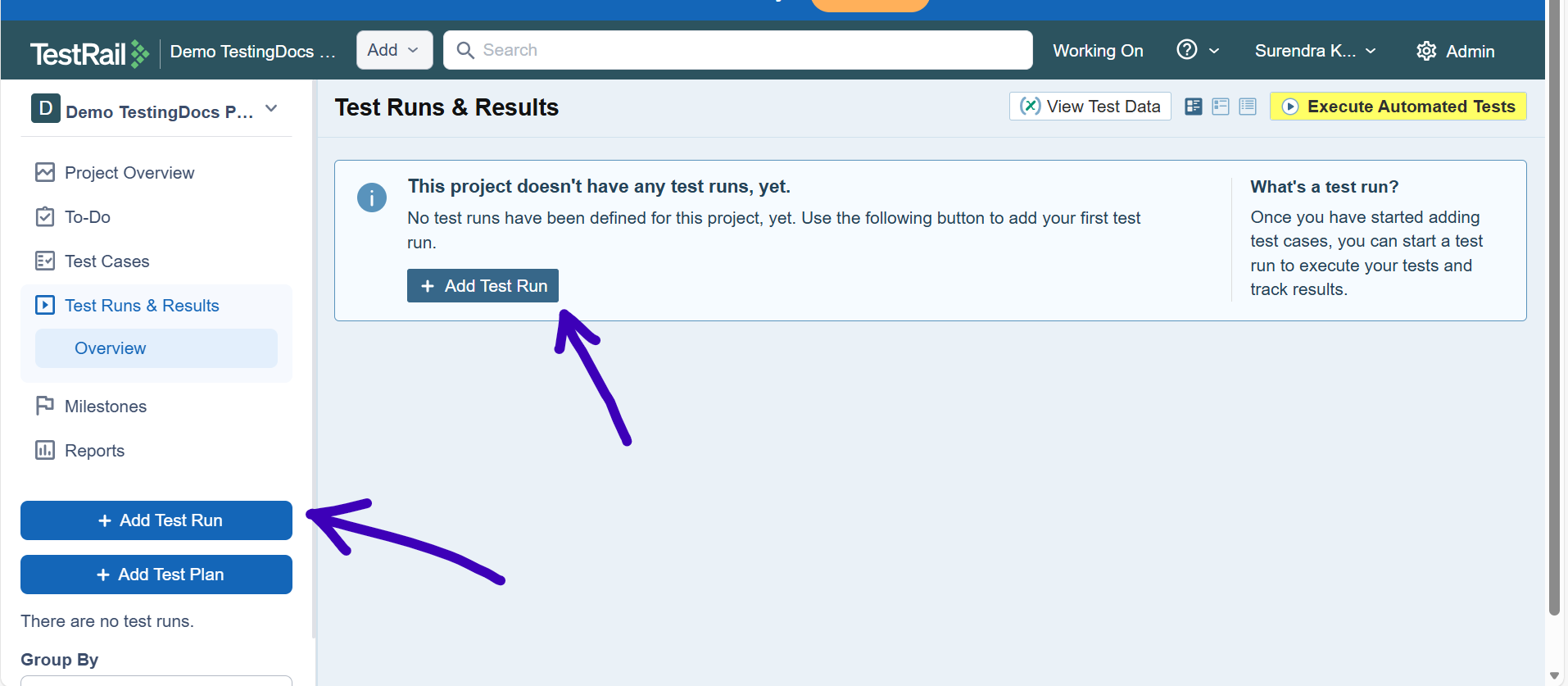
Step 2: Go to the Test Runs & Results Tab
Click on the “Test Runs & Results” tab located at the top of the project dashboard.
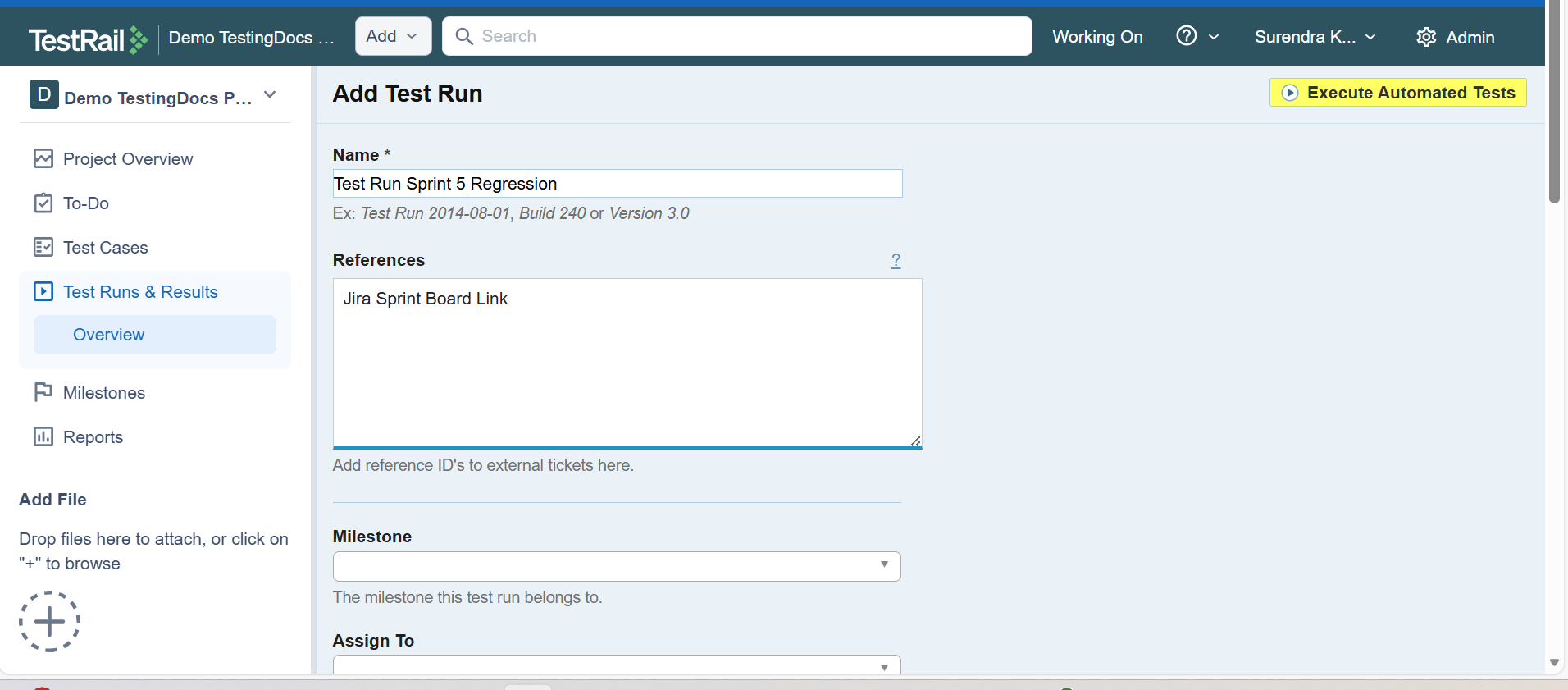
Step 3: Click on “Add Test Run”
On the Test Runs page, click the “Add Test Run” button to start creating a new Test Run.
Step 4: Enter Test Run Details
Fill in the required information:
| Field | Description |
|---|---|
| Name | Enter a name for the Test Run (e.g., Sprint 5 Regression Run). |
| Description | Optional notes describing the purpose of the Test Run. |
| Assign To | Select a tester responsible for executing the tests. |
| Include Test Cases | Select either all test cases or specific test cases from the suite. |
Step 5: Select Test Cases
You can choose:
- Include all test cases – Adds every test case from the test suite.
- Select specific test cases – Allows you to pick only the required test cases.
Step 6: Save the Test Run
After entering the details and selecting test cases, click the “Add Test Run” button at the bottom of the page.
Your Test Run will now be created and ready for testers to start executing the test cases.
What Happens After Creating a Test Run?
Once the Test Run is created:
- Test cases are converted into executable tests.
- Testers can start running the tests.
- Results such as Pass, Fail, Retest, or Blocked can be recorded.
- Test progress and reports can be tracked easily.
Best Practices for Using Test Runs
- Create separate Test Runs for each release or sprint.
- Assign tests to responsible testers.
- Add meaningful descriptions for clarity.
- Use filtered test cases to focus on relevant tests.
A Test Run in TestRail helps teams organize test execution and track testing progress effectively. By creating structured Test Runs, testers can manage their testing cycles, record results, and ensure better software quality.