Linux route Command with Examples
Linux route Command with Examples
The route command is a traditional Linux networking utility used to display and modify the system’s IP routing table. A routing table tells the operating system where network packets should be sent so they can reach their destination. Understanding routing is important for university students studying computer networks, Linux administration, cybersecurity, and system engineering.
What Is a Routing Table?
A routing table contains rules that help Linux determine the next step for outgoing packets. A typical entry includes the destination network, gateway, subnet mask, network interface, and metric. When an application sends data, Linux examines these entries and selects the most appropriate route.
Basic Syntax
$ route [options] [command]The command may be used to view existing routes or, with administrative privileges, add and delete routes.
Display the Routing Table
The simplest use of route is to display the current routing table:
$ routeFor a numeric output without DNS or hostname resolution, use:
$ route -nThe -n option is useful because it displays IP addresses directly, making the output faster and easier to analyze during troubleshooting.
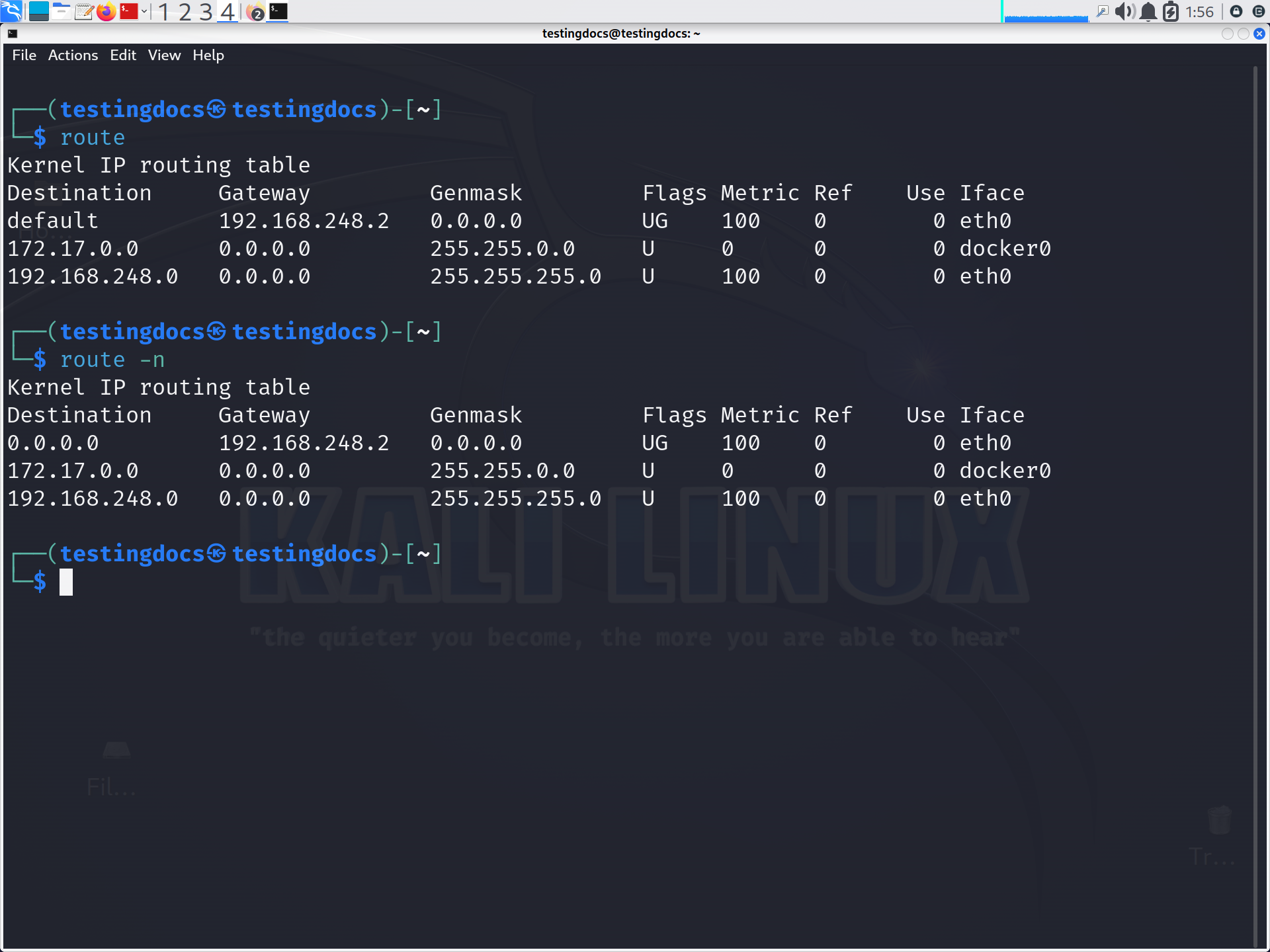
A routing table commonly contains columns such as Destination, Gateway, Genmask, Flags, Metric, and Iface. The destination identifies the target network. The gateway specifies the next-hop router, while Iface identifies the network interface through which packets are transmitted.
Adding a Route
You can add a route using:
$ sudo route add -net 192.168.20.0 netmask 255.255.255.0 dev eth0This example tells Linux to reach the 192.168.20.0/24 network through the eth0 interface.
Adding a Default Gateway
A default route is used when no more specific route matches the destination:
$ sudo route add default gw 192.168.1.1Here, 192.168.1.1 acts as the default gateway, typically connecting the local network to other networks or the Internet.
Deleting a Route
A route can be removed with the del option:
$ sudo route del -net 192.168.20.0 netmask 255.255.255.0route vs. ip route
The route command belongs to the older net-tools suite and may not be installed on modern Linux distributions by default. Today, administrators generally use the ip command instead:
$ ip route
$ sudo ip route add 192.168.20.0/24 dev eth0
$ sudo ip route del 192.168.20.0/24
The Linux route command provides a useful introduction to IP routing and helps students understand how Linux determines packet paths. Although ip route is the modern preferred tool, learning route remains valuable for understanding legacy systems, troubleshooting, and fundamental networking concepts.