Create Lists using JList Class
Overview
In this tutorial, we will learn steps to create lists using JList class. A list is a GUI component that allows users to choose either a single selection or multiple selections.
JList Class
The JList itself does not support scroll-through list items but relies on the JScrollPane class.
We can import the class with the following statement:
import javax.swing.JList;
To create a list, we can use the JList class.
JList list = new JList(argument);
JList is a raw type. References to generic type JList<E> should be parameterized
Java Program
package com.testingdocs.swing.components;

/**********************************************
 * FileName: JListDemo.java
 * Package : com.testingdocs.swing.components
 *
 * Java Tutorials - www.TestingDocs.com
 **********************************************/

import java.awt.*;
import java.awt.event.*;

import javax.swing.JButton;
import javax.swing.JFrame;
import javax.swing.JList;
import javax.swing.JOptionPane;
import javax.swing.JScrollPane;


public class JListDemo {

	    public static void main(String[] args) {
	        final int N = 10;
	        JFrame frame = new JFrame("JList -www.TestingDocs.com");

	        // Initialize list
	        String[] listItems = new String[N];
	        for (int i = 0; i < N; i++) {
	            listItems[i] = "List Item " + i;
	        }

	        JList list = new JList(listItems);
	        JScrollPane pane = new JScrollPane(list);

	        // Create a button
	        JButton btnGet = new JButton("Get Selected Items");
	        // Action listener
	        btnGet.addActionListener(new ActionListener() {
	            public void actionPerformed(ActionEvent e) {
	                String selectedItems = "";
	                int selectedIndices[] = list.getSelectedIndices();
	                for (int j = 0; j < selectedIndices.length; j++) {
	                    String elem =
	                            (String) list.getModel().getElementAt(selectedIndices[j]);
	                    selectedItems += "\n" + elem;

	                }
	                JOptionPane.showMessageDialog(frame,
	                        "Selected List Items:" + selectedItems);
	            }
	        });

	        frame.setLayout(new BorderLayout());
	        frame.setDefaultCloseOperation(JFrame.EXIT_ON_CLOSE);
	        frame.getContentPane().add(pane, BorderLayout.CENTER);
	        frame.getContentPane().add(btnGet, BorderLayout.SOUTH);
	        frame.setSize(500, 500);
	        frame.setVisible(true);
	}
}
Output
Run the program to view the output.
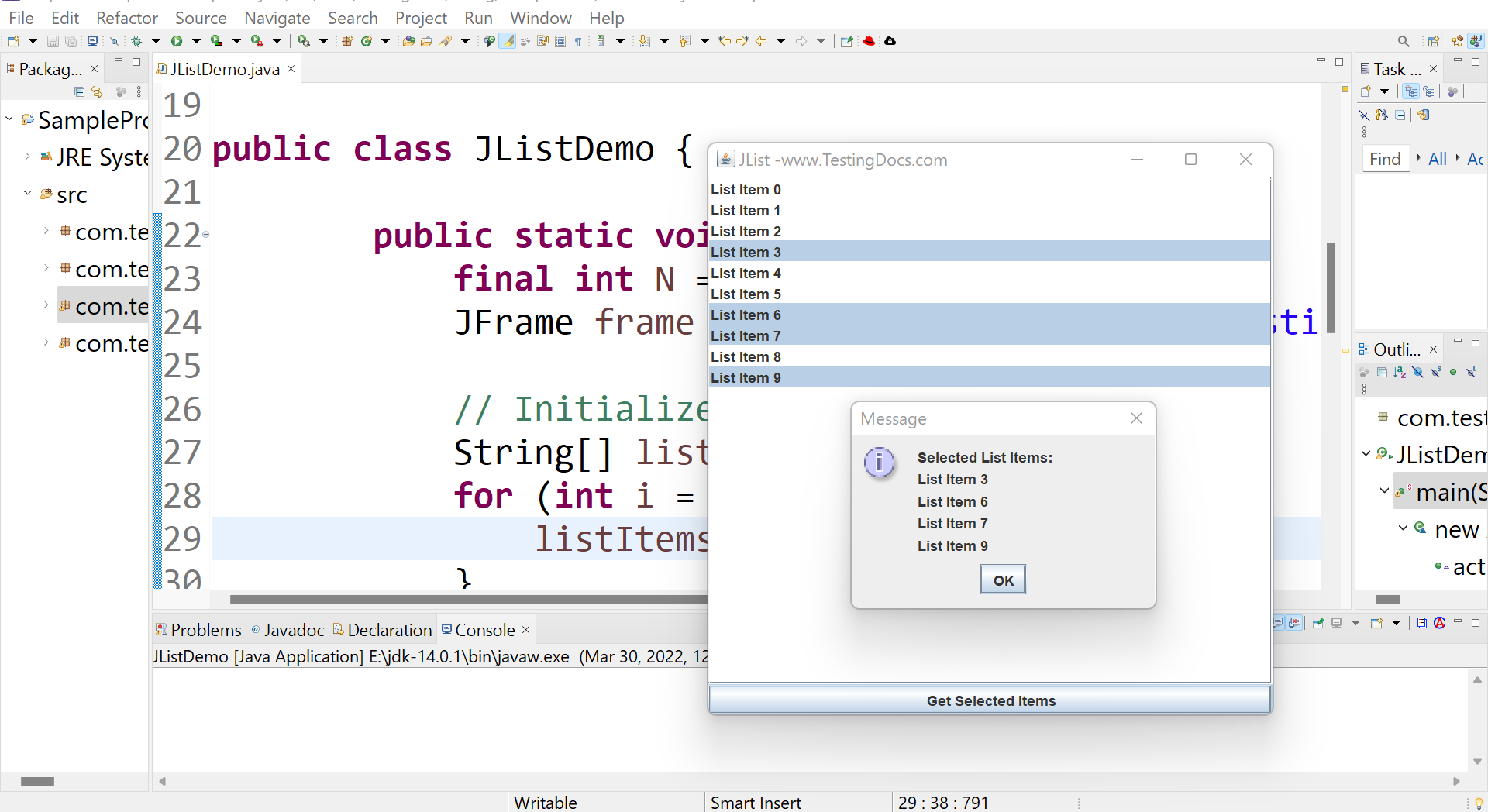
—
Java Tutorial on this website:
https://www.testingdocs.com/java-tutorial/
For more information on Java, visit the official website :


