Create Progress Bar using JProgressBar
Overview
In this tutorial, we will learn steps to create a progress Bar using JProgressBar class. Using JProgressBar we can create a vertical or a horizontal progress bar.
Create Progress Bar
A progress bar is a GUI component that is used to display the progress of a task. For example, the progress of a file download, file copy, file upload, etc.
To import the class in the java program, we can use the following import statement.
import javax.swing.JProgressBar;
To create a progress bar we can use the JProgressBar class.
JProgressBar pBar = new JProgressBar();
Java Program
In this Java program, we will use JProgressBar class to create a simple progress bar.
package com.testingdocs.swing.components;

/**********************************************
 * FileName: ProgressBarDemo.java
 * Package : com.testingdocs.swing.components
 *
 * Java Tutorials - www.TestingDocs.com
 **********************************************/

import java.awt.*;

import javax.swing.JFrame;
import javax.swing.JOptionPane;
import javax.swing.JProgressBar;
import javax.swing.SwingUtilities;


public class ProgressBarDemo {

	public static void main(String[] args) {
		final int MAX_PERCENT = 100;
		JFrame frame = new JFrame("JProgress -www.TestingDocs.com");

		// Create Progress Bar
		JProgressBar pBar = new JProgressBar();
		pBar.setMinimum(0);
		pBar.setMaximum(MAX_PERCENT);
		pBar.setStringPainted(true);

		// Add Progress Bar
		frame.setLayout(new FlowLayout());
		frame.getContentPane().add(pBar);
		frame.setDefaultCloseOperation(JFrame.EXIT_ON_CLOSE);
		frame.setSize(500, 500);
		frame.setVisible(true);

		// Update Progress Bar
		for (int i = 0; i <= MAX_PERCENT; i++) {
			final int currentValue = i;
			try {
				SwingUtilities.invokeLater(new Runnable() {
					public void run() {
						pBar.setValue(currentValue);
					}
				});
				java.lang.Thread.sleep(1000);
			} catch (InterruptedException e) {
				JOptionPane.showMessageDialog(frame, e.getMessage());
			}
		}
	}
}
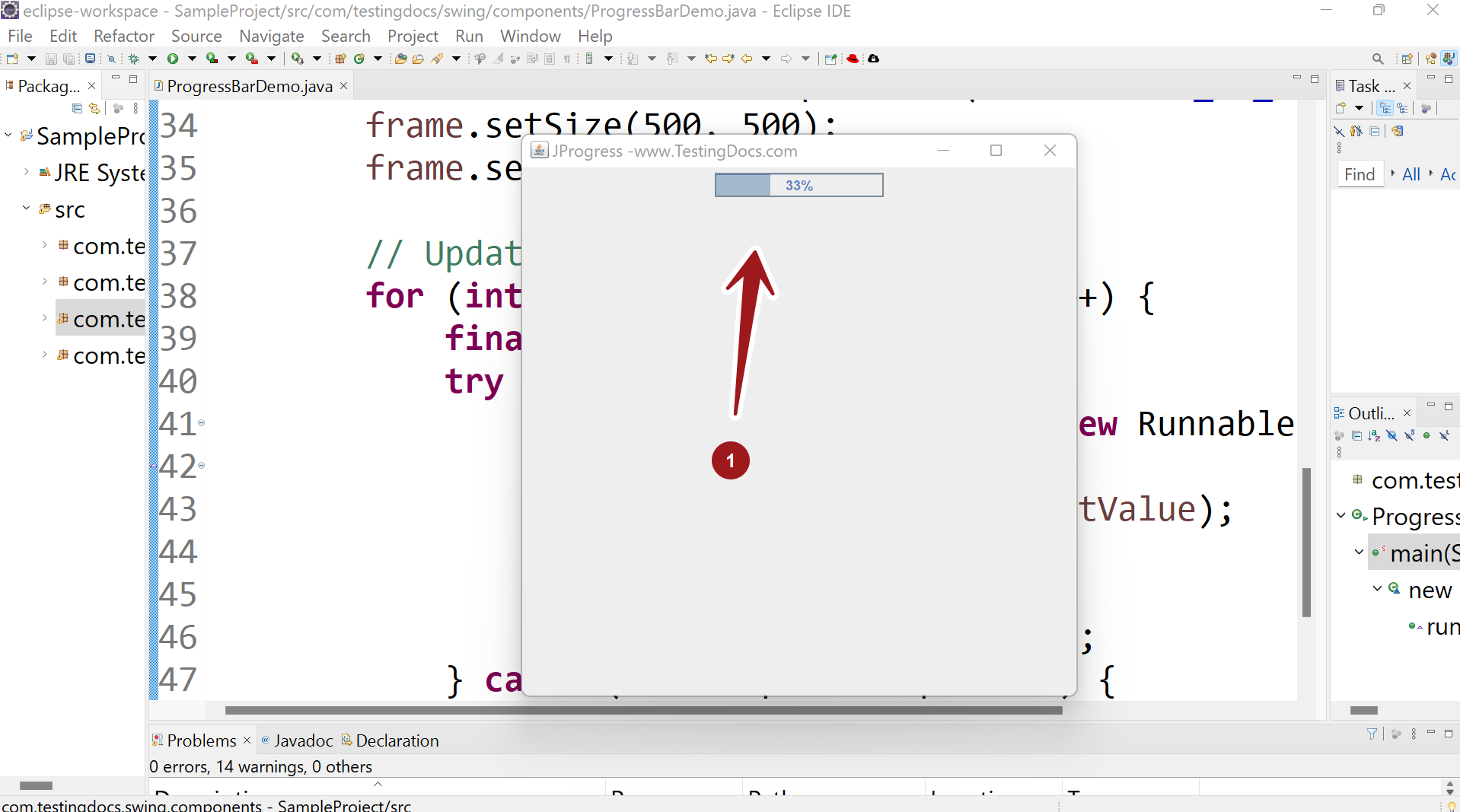
Output
Run the program to view the output.
—
Java Tutorial on this website:
https://www.testingdocs.com/java-tutorial/
For more information on Java, visit the official website :
https://www.oracle.com/in/java/


