Create ComboBox using JComboBox Class
Create ComboBox using JComboBox Class
In this tutorial, we will learn how to Create a Combo Box using the JComboBox Class. A combo box is a GUI component that displays a drop-down list. It gives users options to select one and only one item at a time.
JComboBox Class
ComboBox can be editable or read-only. We can use the following import statement to use JComboBox in the program.
import javax.swing.JComboBox;
To create a Combo box, we can use the JComboBox class.
JComboBox cBox = new JComboBox(subjectList);
JComboBox is a raw type. References to generic type JComboBox<E> should be parameterized.
Java Program
/**********************************************
* FileName: JComboBoxDemo.java
* Package : com.testingdocs.swing.components
*
* Java Tutorials - www.TestingDocs.com
**********************************************/

import java.awt.*;
import java.awt.event.*;
import javax.swing.JComboBox;
import javax.swing.JFrame;
import javax.swing.JOptionPane;

public class JComboBoxDemo {

public static void main(String[] args) {
//Create a frame
JFrame frame = new JFrame("JComboBox - www.TestingDocs.com");
// String array
String[] subjectList = {
"Mathematics",
"Physics",
"Chemistry",
"English",
"History",
"Commerce",
"Moral Science"
};
//Create combo box
JComboBox cbSubject = new JComboBox(subjectList);
cbSubject.addActionListener(
new ActionListener() {

public void actionPerformed(ActionEvent e) {
JOptionPane.showMessageDialog(frame,
"Subject Selected: " +
cbSubject.getSelectedItem().toString());
}
});

frame.setDefaultCloseOperation(JFrame.EXIT_ON_CLOSE);
frame.setSize(500, 300);
Container content = frame.getContentPane();
content.setLayout(new FlowLayout());
content.add(cbSubject);
frame.setVisible(true);
}
}
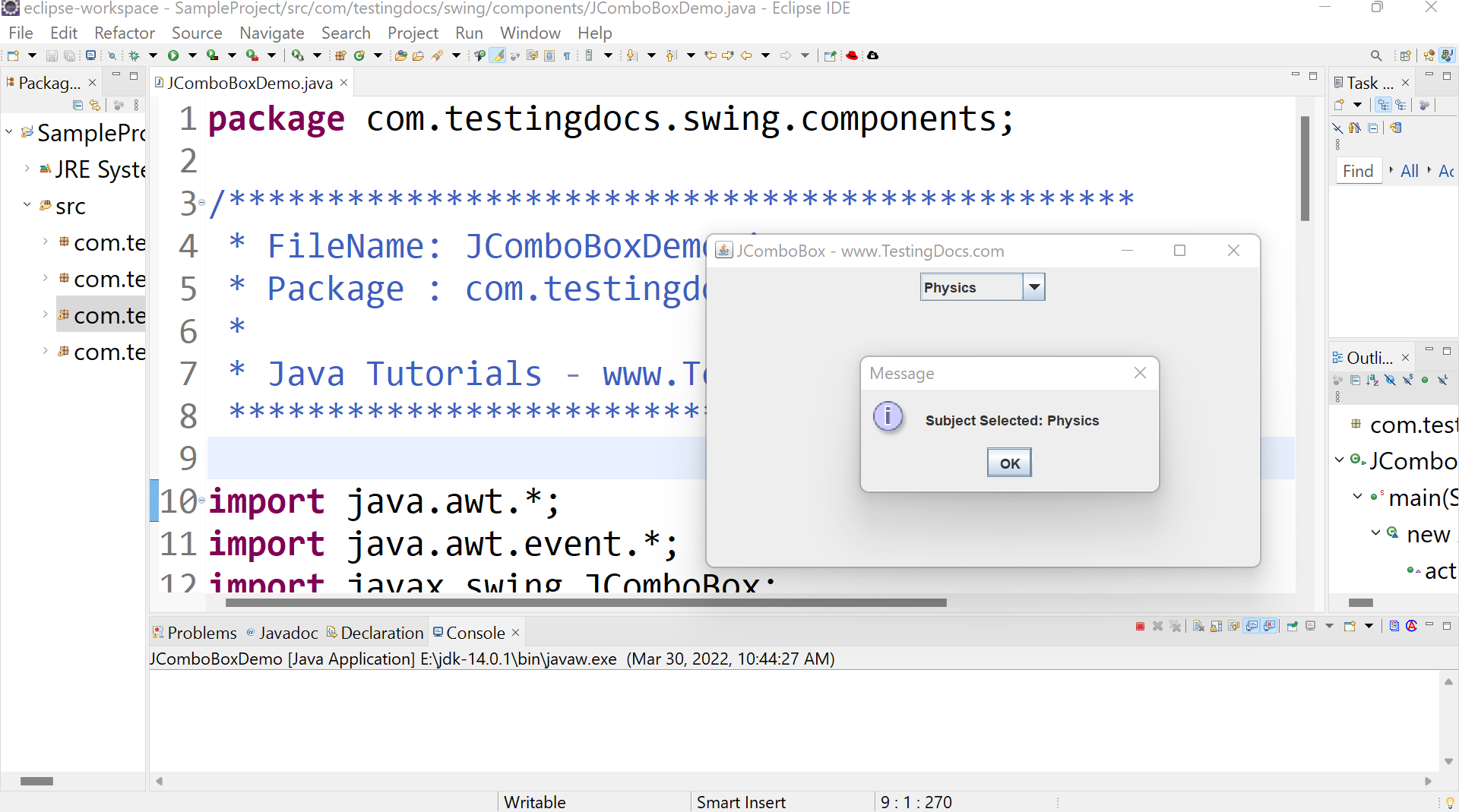
Output
Run the program to view the output.
Java Tutorial on this website:


