Linux tcpdump Command with Examples
Linux tcpdump Command with Examples
tcpdump is a powerful command-line network packet analyzer available on Linux and Unix-like operating systems. It captures and displays network packets traveling through a system’s network interfaces. For university students, learning tcpdump provides a practical way to understand how protocols such as TCP, UDP, DNS, HTTP, and ICMP work.
tcpdump listens to a network interface and captures packets that match specified conditions. It can display packet headers directly on the terminal or save captured traffic to a file for later analysis using tools such as Wireshark.
Syntax
The basic syntax is:
$ tcpdump [options] [filter]Capturing packets often requires administrative privileges, so you may need to use sudo.
List Available Network Interfaces
Before capturing traffic, identify the network interface you want to monitor:
$ sudo tcpdump -DThis command lists available interfaces. Common names include eth0 for Ethernet and wlan0 for Wi-Fi, although modern Linux systems may use names such as enp0s3 or wlp2s0.
Capture Packets
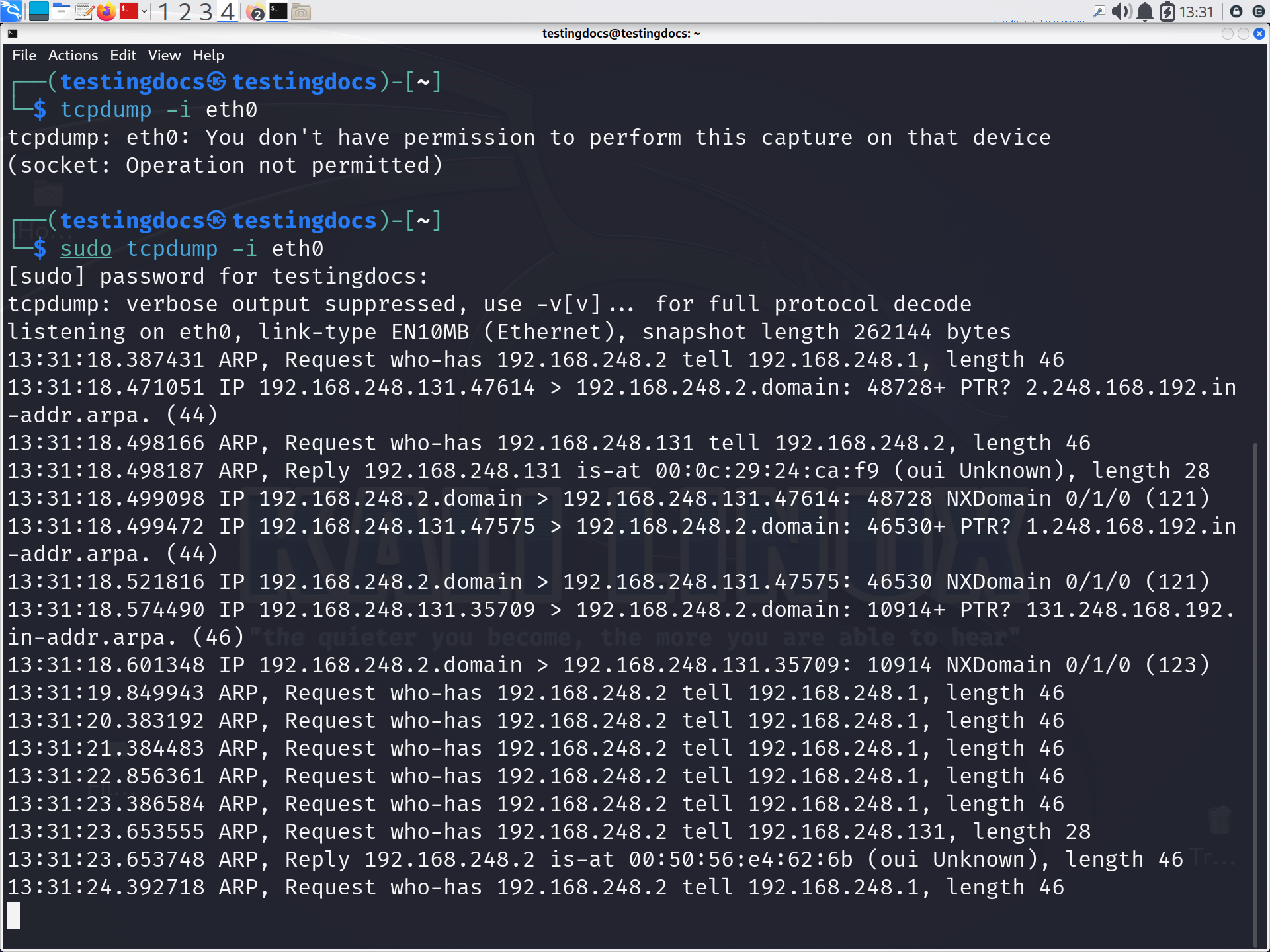
To capture packets from a specific interface:
$ sudo tcpdump -i eth0The -i option specifies the interface. Press Ctrl+C to stop capturing.
Useful tcpdump Examples
Capture only 10 packets:
$ sudo tcpdump -i eth0 -c 10The -c option stops the capture after the specified number of packets.
Capture TCP traffic:
$ sudo tcpdump -i eth0 tcpThis displays packets using the TCP protocol.
Capture traffic on a specific port:
$ sudo tcpdump -i eth0 port 80This filters traffic associated with TCP or UDP port 80.
Capture traffic from a specific host:
$ sudo tcpdump -i eth0 host 192.168.1.10Capture DNS traffic:
$ sudo tcpdump -i eth0 port 53This is useful for observing DNS queries and responses.
Save Packets to a File
To save captured packets for later analysis:
$ sudo tcpdump -i eth0 -w capture.pcapThe -w option writes packets to a PCAP file. You can later inspect the file using tcpdump:
$ tcpdump -r capture.pcap
tcpdump is valuable for networking, cybersecurity, system administration, and troubleshooting. It helps students observe real network communication instead of learning protocols only from diagrams. By combining filters, interface selection, and packet capture files, students can investigate connectivity problems, examine protocol behavior, and build a stronger understanding of computer networks.