Linux telnet Command with Examples
Linux telnet Command with Examples
The telnet command is a network utility used to establish a connection to a remote host over the Telnet protocol. It was traditionally used for remote login, but today it is more commonly used for testing network connectivity and checking whether a specific TCP port is reachable. Telnet transmits data in plain text, so it should not be used for secure remote administration.
Basic Syntax
The telnet command opens a TCP connection to a specified hostname or IP address and port. Its basic syntax is:
$ telnet <hostname-or-IP> <port>For example, to connect to a server using the traditional Telnet port:
$ telnet 192.168.1.20 23If the server is accepting connections on port 23, Telnet attempts to establish a session.
Checking Whether a Port Is Open
One of the most useful applications of Telnet for students and system administrators is testing TCP ports. For example:
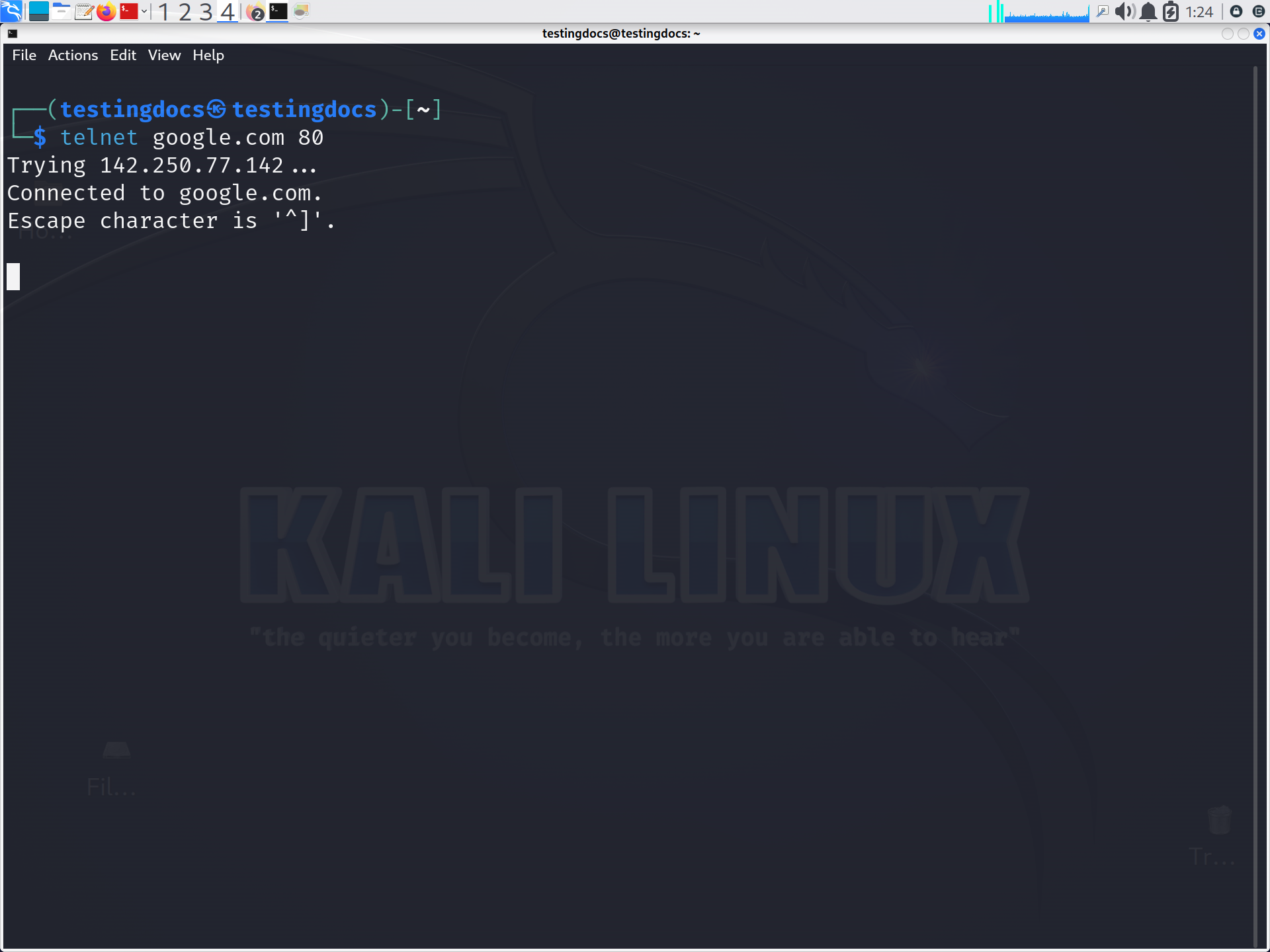
$ telnet example.com 80This attempts to connect to TCP port 80, commonly used for HTTP. A successful connection indicates that the destination is reachable and accepting TCP connections on that port.
You can also test another port:
$ telnet 192.168.1.50 443This can help troubleshoot firewall rules, network connectivity, and service availability.
Connecting Using a Hostname
Telnet can work with domain names as well as IP addresses:
$ telnet server.example.com 22Here, Telnet first resolves the hostname and then attempts to establish a TCP connection to port 22.
How to Exit Telnet
While connected, press Ctrl + ] to enter the Telnet command prompt. Then type:
$ quitAlternatively, you can use the Telnet prompt to enter commands such as open or close.
Installing Telnet on Linux
Many modern Linux distributions do not install Telnet by default. On Debian or Ubuntu, you can install it using:
$ sudo apt install telnetOn Fedora or RHEL-based systems, the package may be installed with:
$ sudo dnf install telnetTelnet vs. SSH
The major limitation of Telnet is security. Telnet does not encrypt usernames, passwords, or other transmitted information. SSH (Secure Shell) provides encrypted communication and is therefore the preferred protocol for secure remote administration.
The Linux telnet command remains useful for learning networking concepts and testing TCP connectivity. Although SSH has replaced Telnet for secure remote access, Telnet is still a simple diagnostic tool for determining whether a particular host and port can accept connections.