Linux nslookup Command with Examples
Linux nslookup Command with Examples
The nslookup command is a useful Linux networking utility for querying the Domain Name System (DNS). DNS translates human-readable domain names such as www.example.com into IP addresses that computers use to communicate over a network. The nslookup command allows students, system administrators, developers, and testers to examine DNS information and troubleshoot name-resolution problems.
What is nslookup?
nslookup stands for Name Server Lookup. It sends DNS queries to a configured DNS server and displays the response. It can be used to find IPv4 addresses, IPv6 addresses, mail servers, name servers, and other DNS records.
A basic command follows this syntax:
$ nslookup domain-nameFor example:
$ nslookup example.comThe output normally shows the DNS server that answered the request and the IP address associated with the domain.
Find the IP Address of a Domain
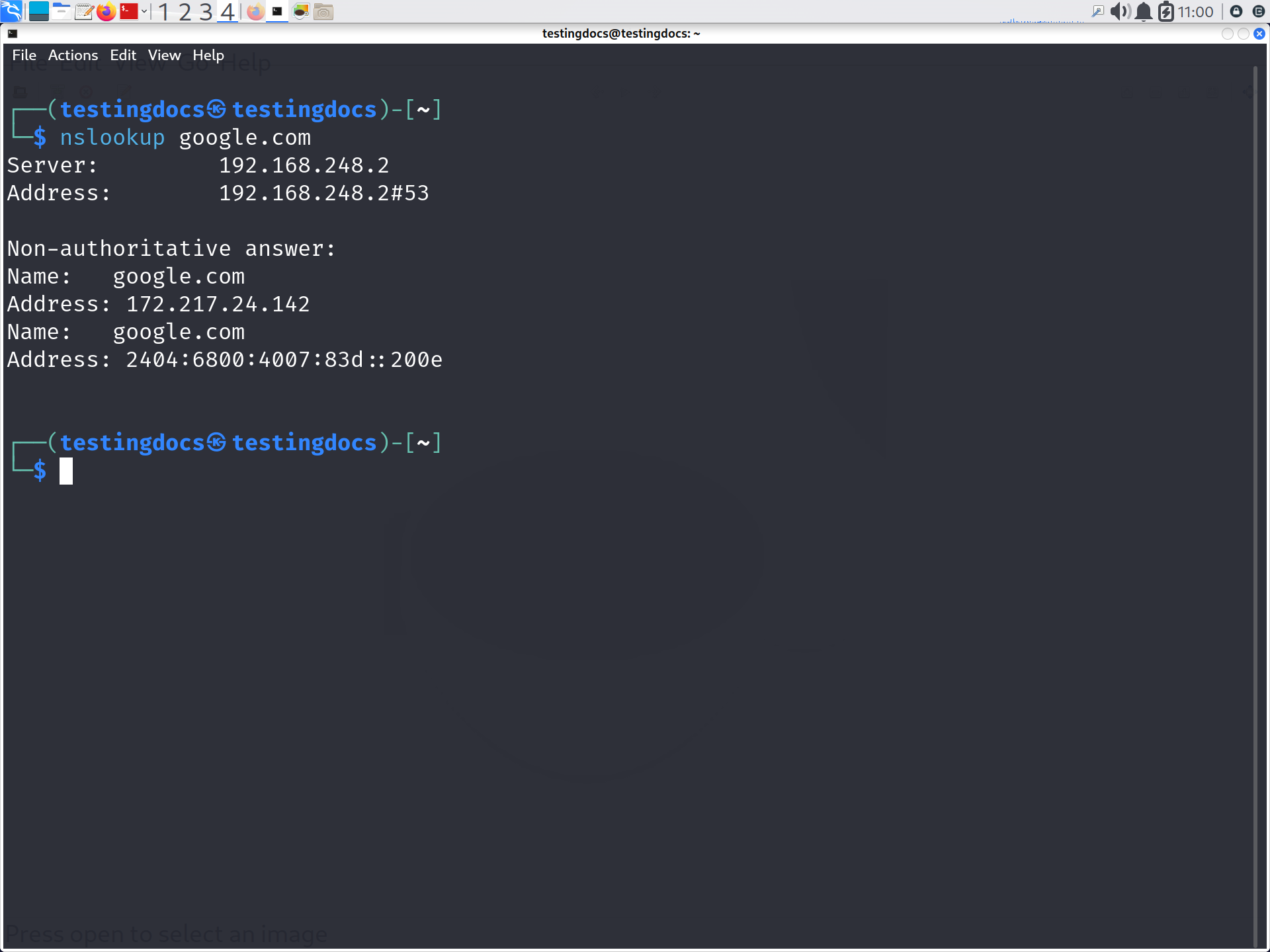
The most common use of nslookup is finding the IP address of a website.
$ nslookup google.comA DNS response may contain an A record, which maps a domain name to an IPv4 address. An AAAA record performs a similar function for IPv6.
Query a Specific DNS Record
You can request a particular type of DNS record using the -type option.
$ nslookup -type=MX example.comThis command requests MX (Mail Exchange) records, which identify mail servers responsible for receiving email for the domain.
To find name servers:
$ nslookup -type=NS example.comTo query a TXT record:
$ nslookup -type=TXT example.comUse a Specific DNS Server
Linux systems normally use DNS servers configured through the operating system. You can also ask a particular DNS server to perform the lookup.
$ nslookup example.com 8.8.8.8Here, 8.8.8.8 is Google’s publicly available DNS resolver. This is useful when comparing responses from different DNS servers.
Reverse DNS Lookup
nslookup can also perform the reverse operation: finding a hostname associated with an IP address.
$ nslookup 8.8.8.8This type of query is commonly called a reverse DNS lookup and relies on DNS records in the in-addr.arpa namespace for IPv4.
Interactive Mode
Running nslookup without arguments starts an interactive session.
$ nslookupYou can then enter a domain name or change the query type. For example:
> set type=MX
> example.com
Type exit to leave interactive mode.
Why is nslookup Useful?
Students and IT professionals can use nslookup to troubleshoot DNS problems, verify domain configuration, investigate email-related DNS records, check whether DNS changes have propagated, and compare results from different DNS servers. It is especially helpful when a website works by IP address but fails when accessed by its domain name.
The Linux nslookup command provides a simple way to investigate DNS resolution. By learning basic lookups, record-type queries, reverse lookups, and specific DNS-server queries, students gain a practical understanding of how DNS connects domain names with network services.
See Also: