Compile & Run a C Program on Linux
Overview
In this tutorial, we will learn the steps to compile and run a C Program from the command line on a Linux machine. Steps to install GNU C/C++ compiler:
C Program
Create a hello.c file. We can use the file manager to create the file.
To create a file from the Command-line:
$ touch hello.c
or
$ vi hello.c
Open the C source code file in the text editor like vi, emacs, gedit, Kate, etc based on the Linux environment.
Write the C program source code by editing a file.
/********************************************
 * File:hello.c
 * Sample C Program on Linux
 * Compile and Run from command line demo.
 * C Tutorials - www.TestingDocs.com
 ********************************************/
// header files
#include<stdio.h>
#include<stdlib.h>

// main function
int main()
{
	printf("Hello World! \n"); // print Hello message
 	exit(EXIT_SUCCESS);
}
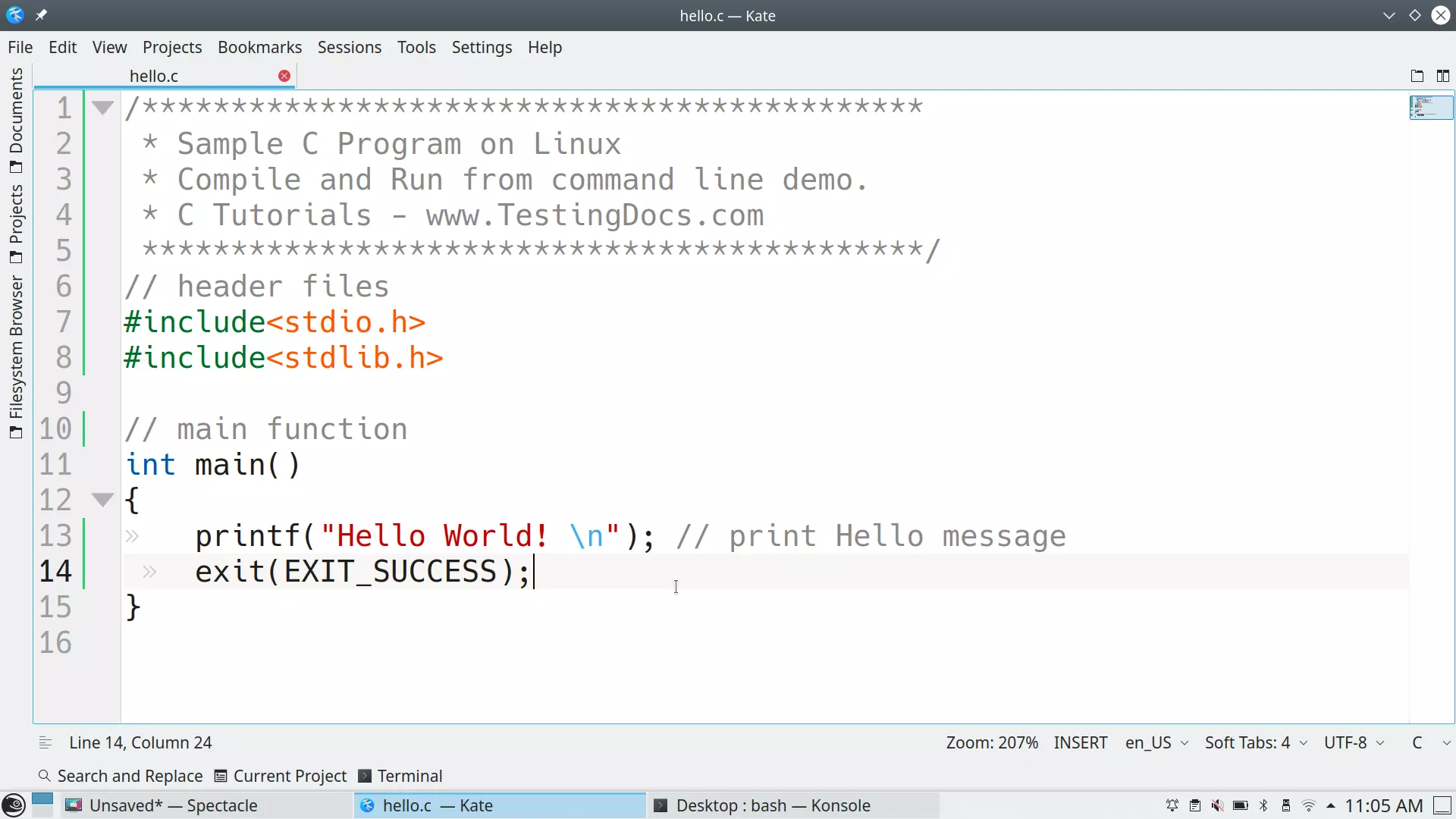
Compile
Let’s compile the C program. The gcc compiler produces an executable output file called a.out.
$ gcc hello.c
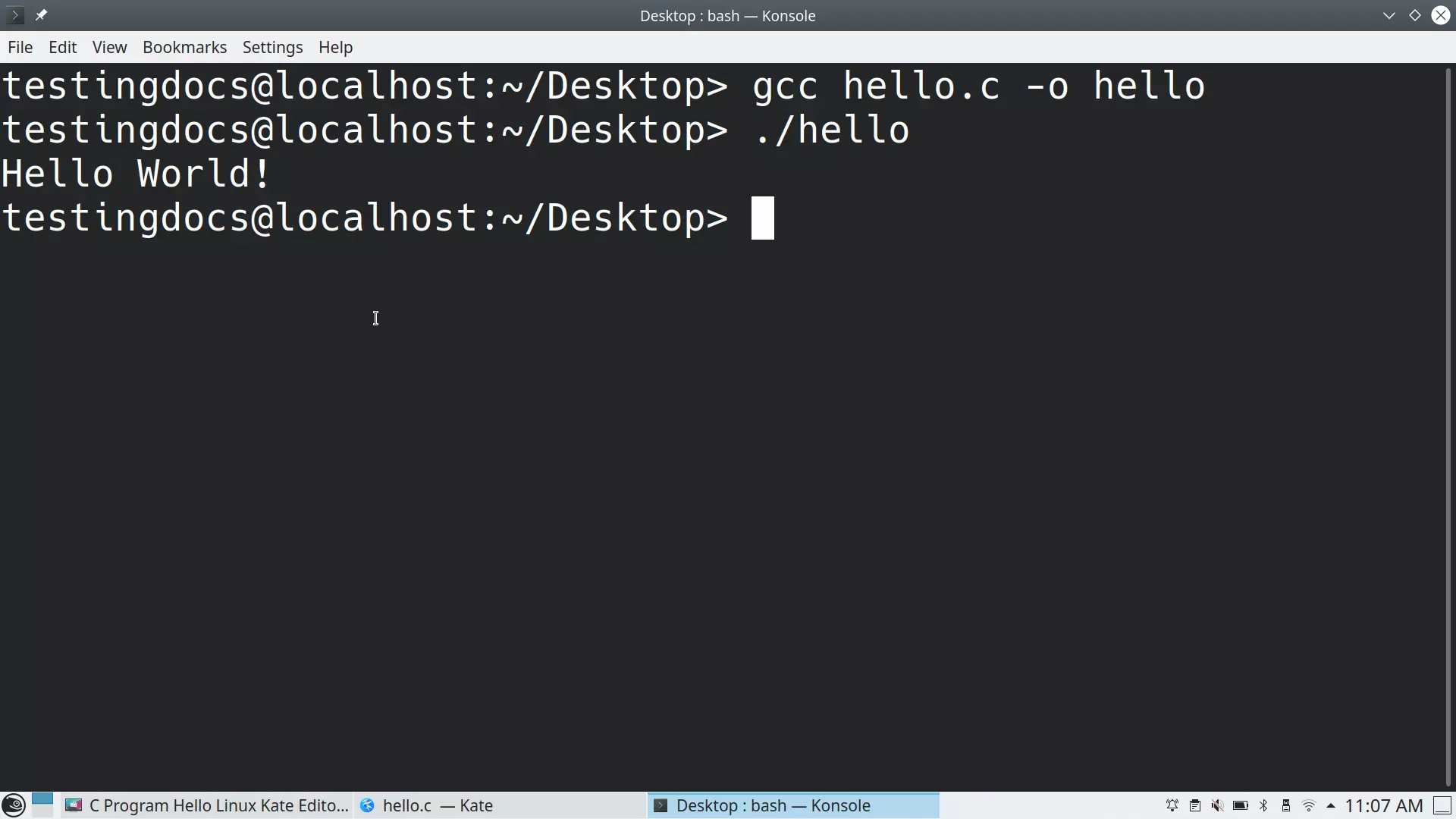
a.out is the default output executable file created when no output name is specified. We can specify the output file name with -o switch
$ gcc hello.c -o hello
Run a C Program
Let’s run the C program with the default a.out executable output file.
$ ./a.out
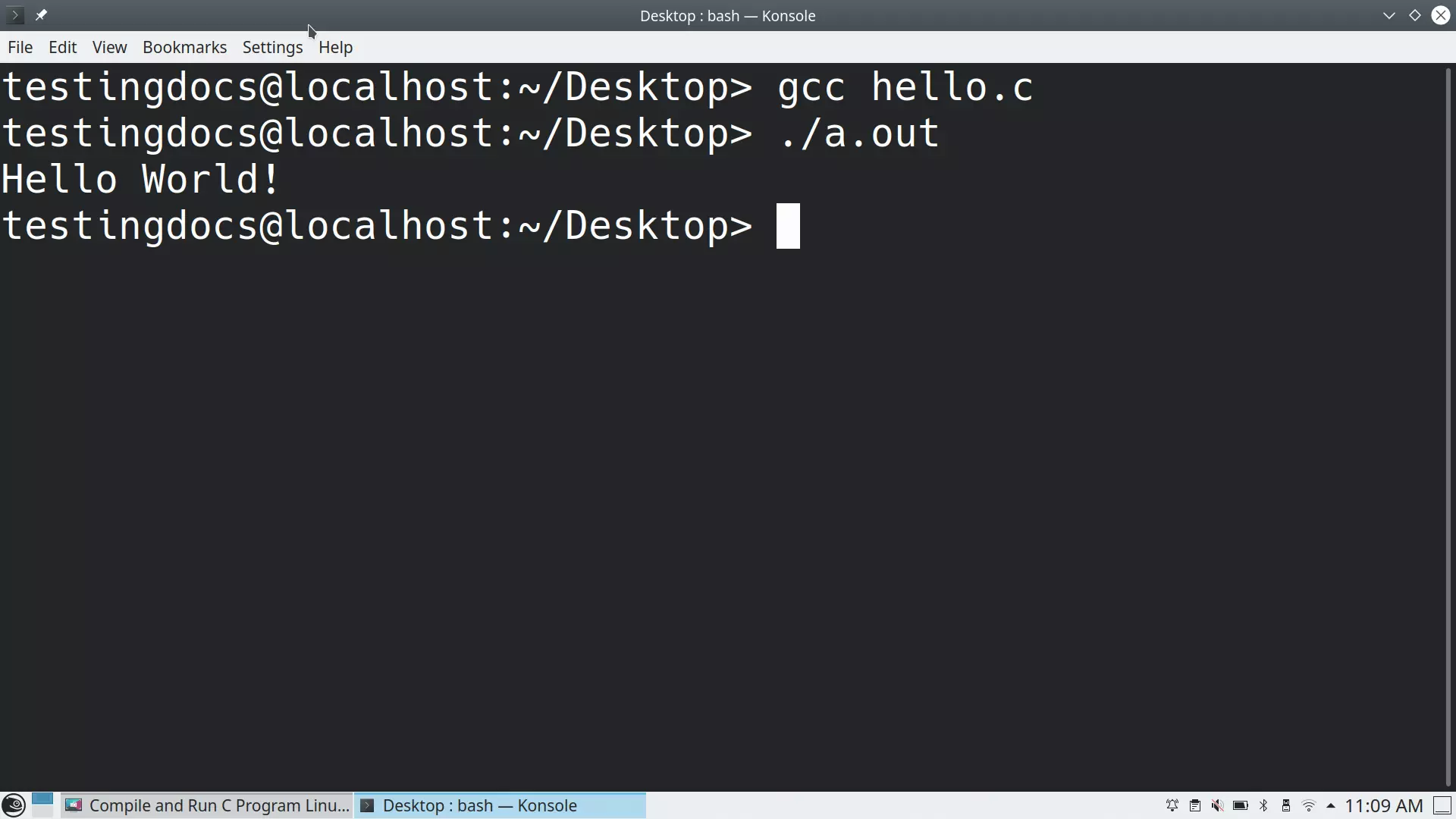
To run the output file, for example, hello:
$ ./hello
This should print the Hello World! message to the terminal screen.
That’s it.


