Java Swing BorderLayout
Java Swing BorderLayout
This tutorial will teach us about Java Swing BorderLayout with an example demo program. A border layout lays out a container, arranging and resizing its components to fit in five regions:
- NORTH
- SOUTH
- EAST
- WEST
- CENTER
BorderLayout also supports relative positioning in the container:
- PAGE_START
- PAGE_END
- LINE_START
- CENTER
- LINE_END
If you add a component without specifying a region, it will go to the CENTER by default. You don’t have to use all five regions—only the ones you need. Components are resized to fit the region.
BorderLayout Constructor
BorderLayout layout = new BorderLayout(); // default
BorderLayout layoutWithHGapVGap = new BorderLayout(10, 20); // horizontal and vertical
Java Demo Program
Sample Java program is as follows:
import javax.swing.JButton;
import javax.swing.JFrame;
import javax.swing.JPanel;
import java.awt.*;

/****************************************
 * Filename: BorderLayoutDemo.java
 *
 * Java Tutorials - www.TestingDocs.com
 *****************************************/


//BorderLayout Demo Program
public class BorderLayoutDemo {
    public static void main(String[] args) {

        JFrame frame = new JFrame("BorderLayout - www.TestingDocs.com");
        JButton btn1 = new JButton("Button [NORTH]");
        JButton btn2 = new JButton("Button [CENTER]");
        JButton btn3 = new JButton("Button [WEST]");
        JButton btn4 = new JButton("Button [SOUTH]");
        JButton btn5 = new JButton("Button [EAST]");

        JPanel panel = new JPanel(new BorderLayout());
        panel.add(btn1, BorderLayout.NORTH);
        panel.add(btn2, BorderLayout.CENTER);
        panel.add(btn3, BorderLayout.WEST);
        panel.add(btn4, BorderLayout.SOUTH);
        panel.add(btn5, BorderLayout.EAST);


        frame.setDefaultCloseOperation(JFrame.EXIT_ON_CLOSE);
        frame.setSize(600,300);
        frame.getContentPane().add(panel);
        frame.setVisible(true);
    }
}
Output
Run the Java application to view the output.
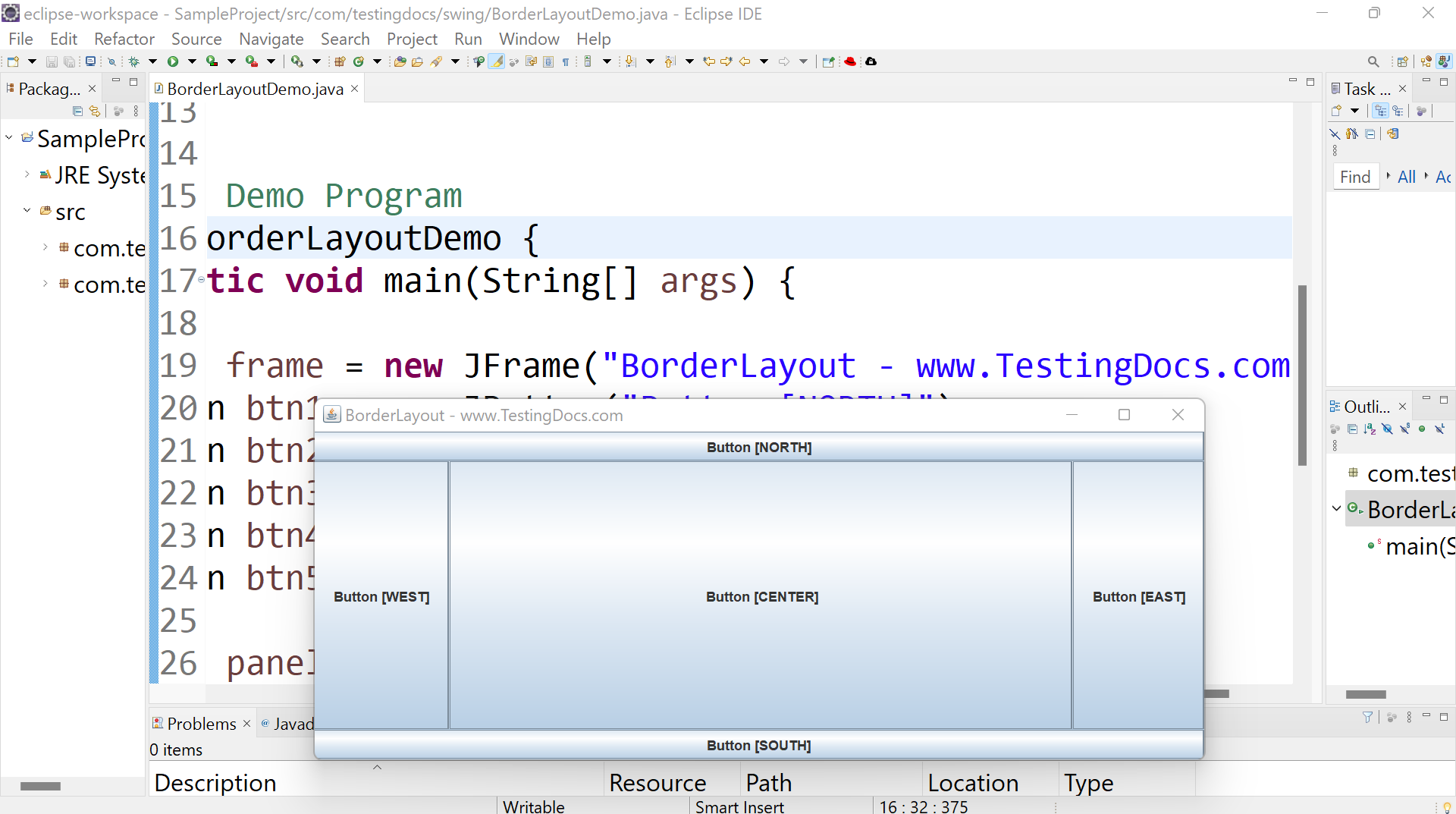
We can use the constants of the BorderLayout class to indicate the area we want to place a component in the container.
—
Java Tutorial on this website:


