Java Swing JLabel
Java Swing JLabel
A label is a GUI component used as a display area for short text, an image, or both. The Swing label does not react to user input events.
Swing JLabel
We can create a label using the JLabel class. We can import the class using the following statement:
import javax.swing.JLabel;
To create a label, we need to instantiate the class. For example,
JLabel label = new JLabel(“Java Swing Tutorial”,JLabel.CENTER);
Java Program
package com.testingdocs.swing.components;

/**********************************************
 * FileName: JLabelDemo.java
 * Package : com.testingdocs.swing.components
 *
 * Java Tutorials - www.TestingDocs.com
 **********************************************/

import javax.swing.JLabel;
import javax.swing.JFrame;

public class JLabelDemo {

	    public static void main(String[] args) {
	    	//Create a Label GUI component
	        JLabel label = new JLabel("Java Swing Tutorials",JLabel.CENTER);
	        //Create a Frame
	        JFrame frame = new JFrame("JLabel - www.TestingDocs.com");
	        frame.setDefaultCloseOperation(JFrame.EXIT_ON_CLOSE);
	        frame.setSize(500,500);
	        //add the label GUI component
	        frame.getContentPane().add(label);
	        frame.setVisible(true);
	    }
	}
Sample Swing program
Output
Run the program to view the output.
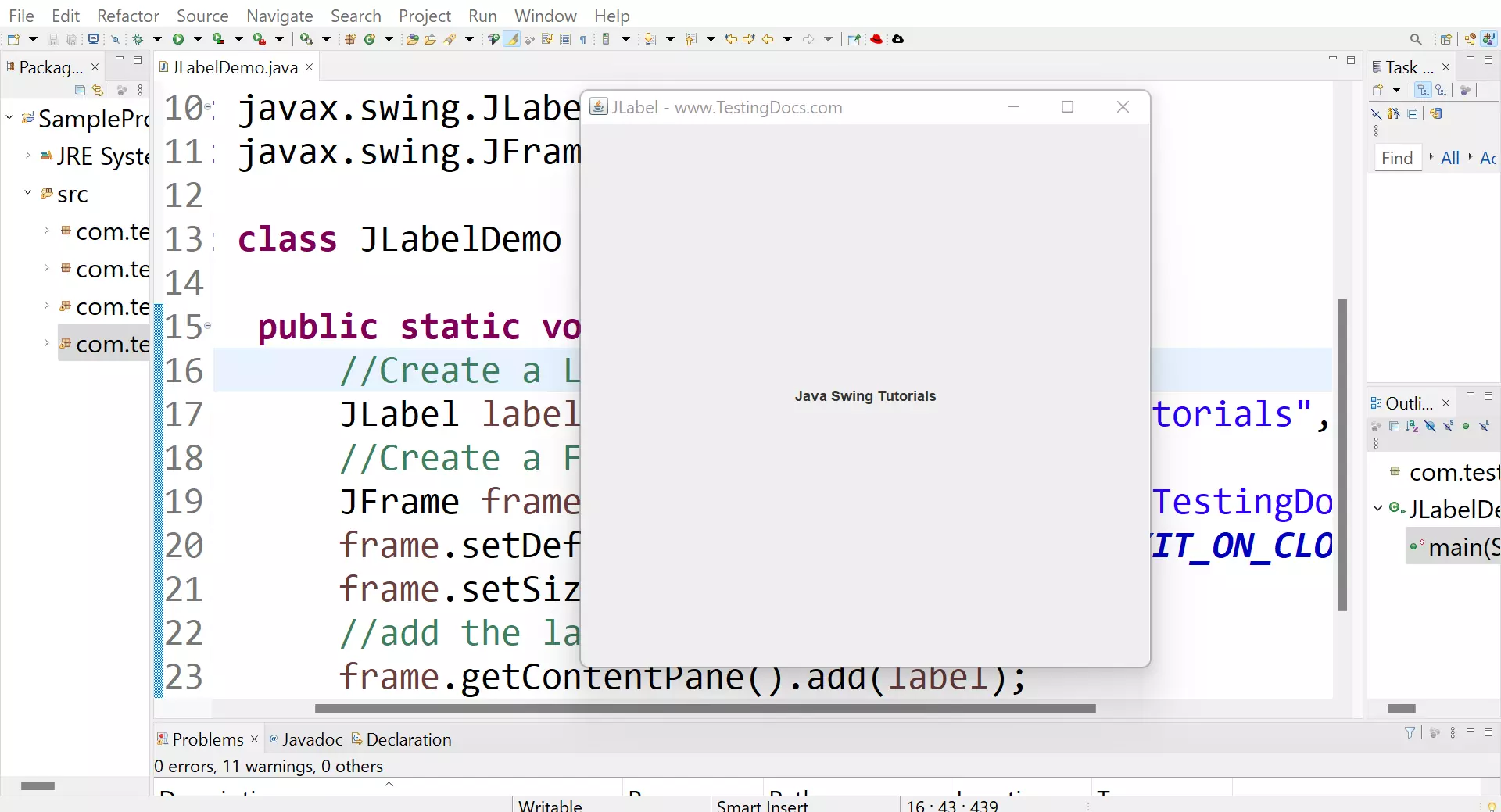
The output frame with a label aligned to the center should be displayed.
That’s it.
—
Java Tutorial on this website:


