Top 20 Linux Networking Commands
Top 20 Linux Networking Commands
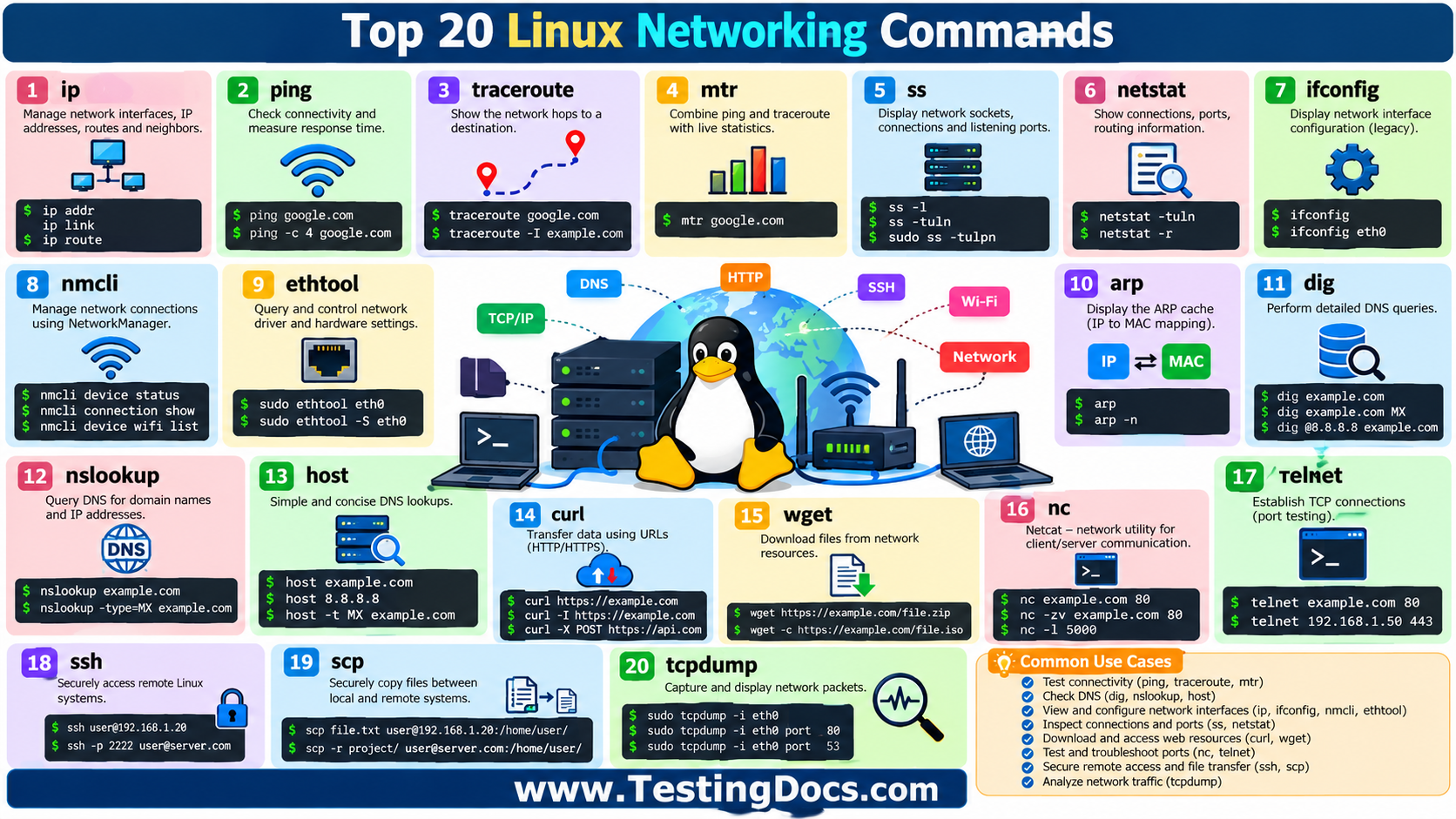
Linux provides a powerful collection of networking commands that help students, software testers, developers, DevOps engineers, system administrators, and network engineers inspect connectivity, troubleshoot DNS problems, analyze packets, manage interfaces, and communicate with remote systems. Learning these commands gives university students a practical understanding of how computer networks operate from the command line.
TestingDocs.com contains a number of Linux networking command tutorials as well as broader networking and diagnostic-tool guides. The list below combines the most useful commands for students with links to the relevant TestingDocs pages wherever a matching article is available.
1. ip
The ip command is the modern tool for inspecting and configuring Linux network interfaces, IP addresses, routes, and neighboring devices.
ip addr
ip link
ip route
Student use: Understand IP addressing, interfaces, routing, and network configuration.
TestingDocs: TestingDocs discusses ip route as the modern replacement for the older route command. Linux route Command with Examples
2. ping
ping checks whether a destination is reachable and measures round-trip response time using ICMP.
ping google.com
ping -c 4 google.com
Student use: Test basic connectivity, latency, and packet loss.
TestingDocs: The TestingDocs Linux Network Diagnostic Tools guide includes ping examples. Linux Network Diagnostic Tools
3. traceroute
The traceroute command shows the network hops between your Linux machine and a destination.
traceroute google.com
traceroute -I example.com
Student use: Identify routing paths, delays, and possible network bottlenecks.
TestingDocs: Linux traceroute command
4. mtr
mtr, commonly associated with “My Traceroute,” combines ideas from ping and traceroute to provide ongoing hop-by-hop network statistics.
mtr google.comStudent use: Study latency and packet loss across individual network hops.
TestingDocs: The Linux Network Diagnostic Tools page covers mtr. Linux Network Diagnostic Tools
5. ss
The ss command displays network sockets, active connections, listening ports, and TCP or UDP information. TestingDocs describes it as a faster and more modern alternative to netstat.
ss -l
ss -tuln
sudo ss -tulpn
Student use: Find listening services and understand socket-level communication.
TestingDocs: Linux ss Command with Examples
6. netstat
netstat displays network connections, listening ports, routing information, and interface statistics.
netstat -tuln
netstat -r
Student use: Learn about ports, services, connections, and routing tables.
TestingDocs: Linux Network Diagnostic Tools includes netstat examples.
7. ifconfig
ifconfig displays and, on supported systems, configures network interfaces.
ifconfig
ifconfig eth0
Student use: Inspect interface addresses, MAC addresses, MTU, and network statistics.
Important: TestingDocs notes that ifconfig has been deprecated on many Linux distributions in favor of ip.
TestingDocs: Linux ifconfig command
8. nmcli
nmcli is the command-line interface for NetworkManager. It can inspect devices, show connection profiles, configure networking, and connect to Wi-Fi.
nmcli device status
nmcli connection show
nmcli device wifi list
Student use: Learn practical network configuration on modern Linux systems.
TestingDocs: Linux nmcli Command with Examples
9. ethtool
ethtool queries or controls network-driver and Ethernet hardware settings. It is especially useful for examining link speed, duplex settings, capabilities, and interface statistics.
sudo ethtool eth0
sudo ethtool -S eth0
Student use: Understand the relationship between Linux network interfaces, drivers, and physical Ethernet hardware.
TestingDocs: No dedicated TestingDocs command article was located during this review.
10. arp
The traditional arp command displays the ARP cache, showing mappings between IPv4 addresses and MAC addresses.
arp
arp -n
Student use: Connect the concepts of IP addressing, MAC addressing, and local-network communication.
Important: TestingDocs notes that arp is an older utility and recommends ip neigh on modern Linux systems.
TestingDocs: Linux arp Command with Examples
11. dig
dig, short for Domain Information Groper, performs detailed DNS queries and displays DNS records.
dig example.com
dig example.com MX
dig @8.8.8.8 example.com
Student use: Study DNS resolution, A, AAAA, MX, NS, CNAME, and TXT records.
TestingDocs: Linux dig Command with Examples
12. nslookup
nslookup is a DNS troubleshooting utility that can perform forward and reverse lookups and query particular record types.
nslookup example.com
nslookup -type=MX example.com
nslookup 8.8.8.8
Student use: Understand how DNS maps domain names to IP addresses.
TestingDocs: Linux nslookup Command with Examples
13. host
The host command performs concise DNS lookups and can also perform reverse lookups.
host example.com
host 8.8.8.8
host -t MX example.com
Student use: Quickly verify DNS resolution and examine common DNS record types.
TestingDocs: Linux host Command with Examples
14. curl
curl communicates with servers using URLs and supports protocols such as HTTP and HTTPS. It is extremely valuable for web development and API testing.
curl https://example.com
curl -I https://example.com
curl -X POST https://api.example.com/users
Student use: Test APIs, inspect HTTP responses, download resources, and troubleshoot web connectivity.
TestingDocs: Linux curl Command with Examples
15. wget
wget downloads files from network resources and is particularly useful in scripts and remote-server environments.
wget https://example.com/file.zip
wget -c https://example.com/large-file.iso
Student use: Practice command-line downloading, automation, and handling interrupted transfers.
TestingDocs: Linux wget Command with Examples
16. nc
nc, or Netcat, is a versatile networking utility that can act as a client or listener and communicate using TCP or UDP.
nc example.com 80
nc -zv example.com 80
nc -l 5000
Student use: Experiment with sockets, ports, listeners, client-server communication, and controlled network testing.
TestingDocs: Linux nc Command with Examples
17. telnet
telnet establishes TCP connections and is often used today for simple connectivity and port testing rather than secure remote administration.
telnet example.com 80
telnet 192.168.1.50 443
Important: Telnet sends information in plain text and should not be used for secure remote administration. SSH is the preferred secure alternative.
TestingDocs: Linux telnet Command with Examples
18. ssh
ssh stands for Secure Shell and is used to securely access and administer remote Linux systems.
ssh student@192.168.1.20
ssh -p 2222 student@server.example.com
Student use: Learn remote administration, secure client-server communication, and cloud-server access.
TestingDocs: No dedicated TestingDocs SSH command page was located during this review.
19. scp
scp stands for Secure Copy. It securely transfers files and directories between local and remote Linux systems using SSH.
scp report.txt student@192.168.1.20:/home/student/
scp -r project/ student@192.168.1.20:/home/student/
Student use: Practice secure file transfer between Linux machines and understand SSH-based administration.
TestingDocs: Linux scp Command with Examples
20. tcpdump
tcpdump is a command-line packet analyzer that captures and displays network packets. It is one of the most important tools for understanding what is actually travelling across a network.
sudo tcpdump -i eth0
sudo tcpdump -i eth0 port 80
sudo tcpdump -i eth0 port 53
Student use: Analyze TCP, UDP, DNS, HTTP, ICMP, and other network traffic at packet level.
TestingDocs: Linux tcpdump Command with Examples
These commands cover the major layers of practical Linux networking. ping and traceroute help with connectivity and routing. ip, ifconfig, nmcli, and ethtool expose network-interface configuration. ss and netstat help students understand sockets and listening ports. dig, nslookup, and host make DNS concepts practical. curl, wget, nc, telnet, ssh, and scp demonstrate client-server communication and remote access, while tcpdump lets students inspect packets directly. TestingDocs’ Linux networking material similarly emphasizes connectivity testing, route analysis, DNS investigation, socket inspection, and packet analysis.
